
Composite code setup
Use this function to set up custom composite codes for the Mobile Automation (ADC) application.
To know more about the Mobile Automation (ADC) application, please refer to our dedicated How-to guide.
How to create a custom composite code
-
In X3, go to Setup > Stock > Composite code setup.
-
Select New on the toolbar to the right of the page.
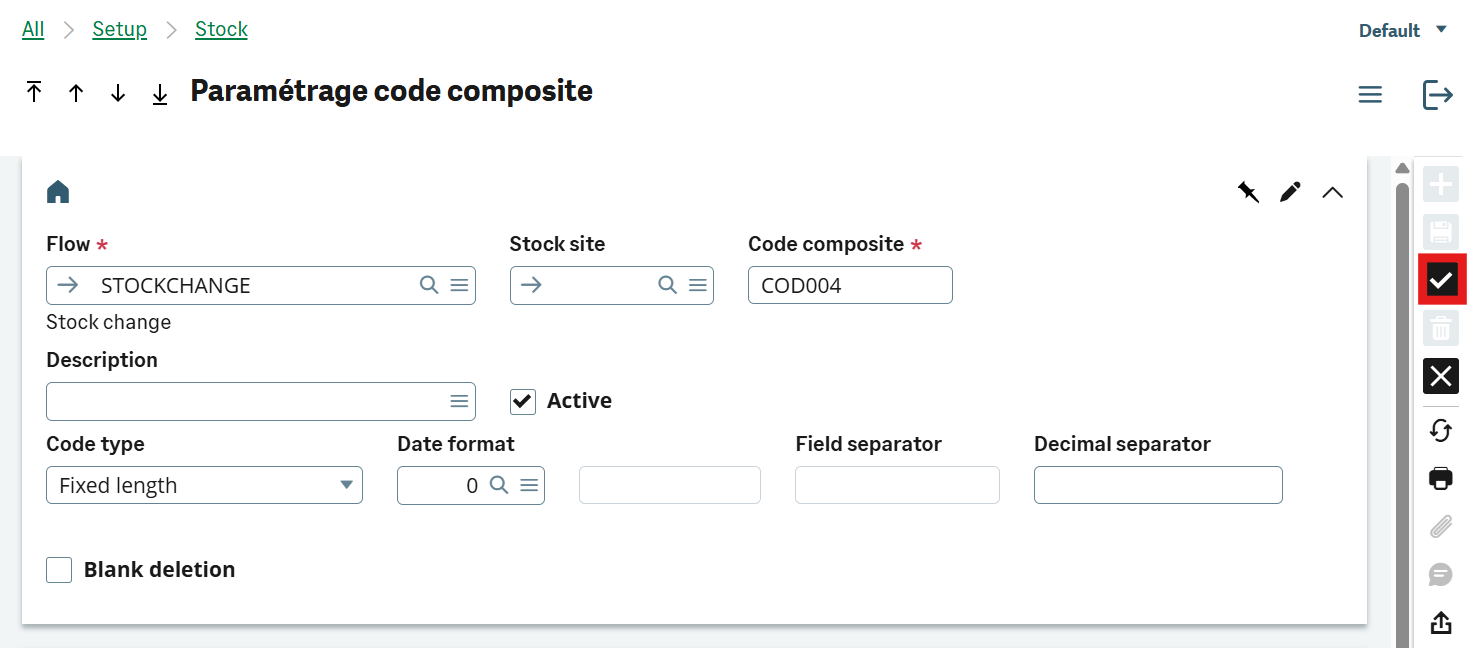
-
Fill in the different fields (only Flow, Composite code and Active fields are mandatory):
- Flow: select Stock change.
- Stock site: select a stock site. If no stock site is selected, the settings will be applied to all stock sites.
- Composite code: define a composite code.
- Description: define a description.
- Active: enable this for the settings to be readable by the Mobile Automation application.
- Code type: select Fixed length or Field separator.
- Date format: select a date format.
- Field separator: this field is only available if you selected Field separator as your Code type.
- Decimal separator: define a decimal separator. You can only use one character.
- Blank deletion: enable this to delete empty spaces before reading the barcode values.
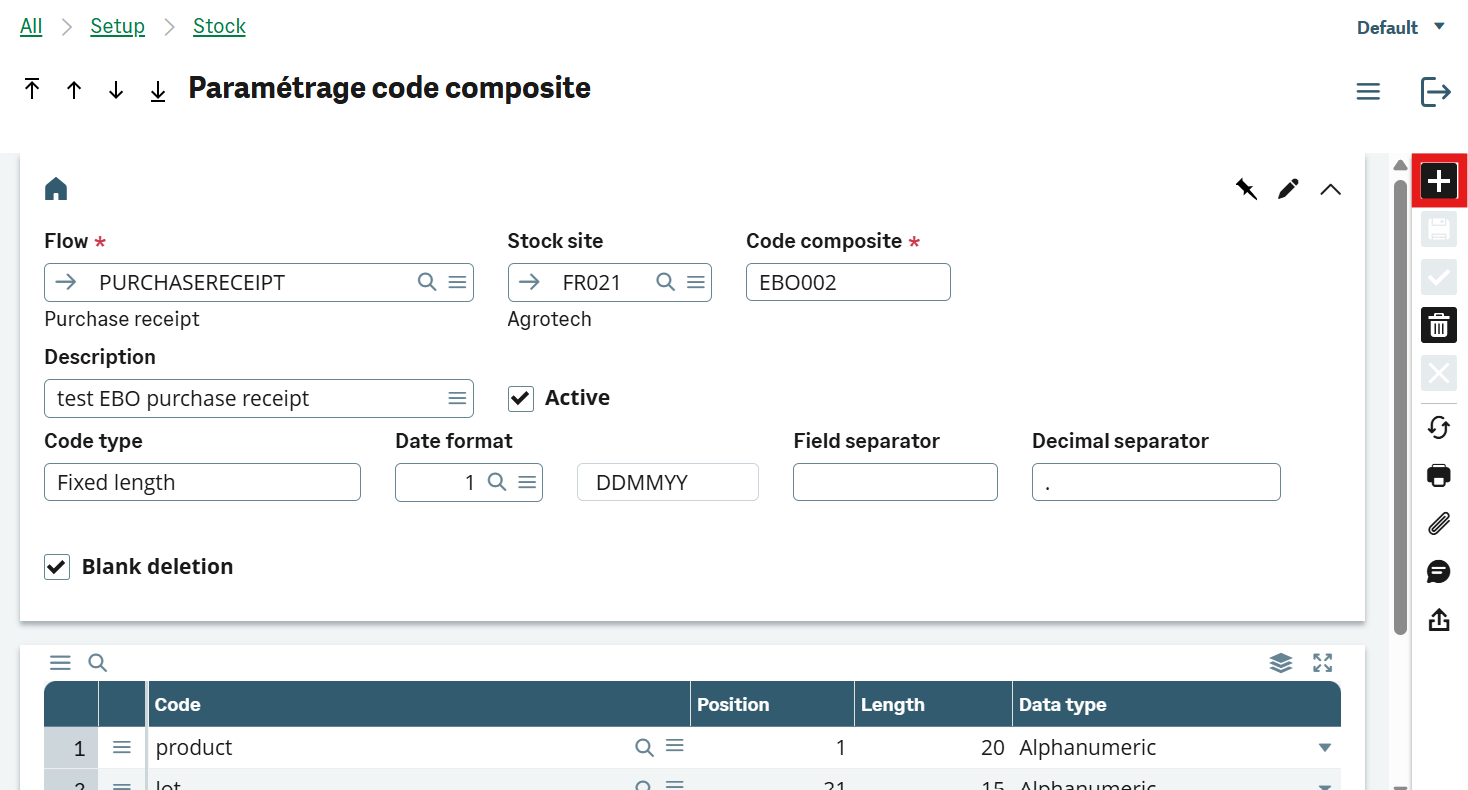
- In the table below, in the Code column, you can view all the fields available in the Stock change transaction. Select the fields you want to set as filters for your composite code. If you have created custom fields, you can type their name.
-
Select Create on the toolbar to the right of the page when your composite code is ready.
-
To view and copy the new composite code, open the Comments box in the toolbar to the right of the page.
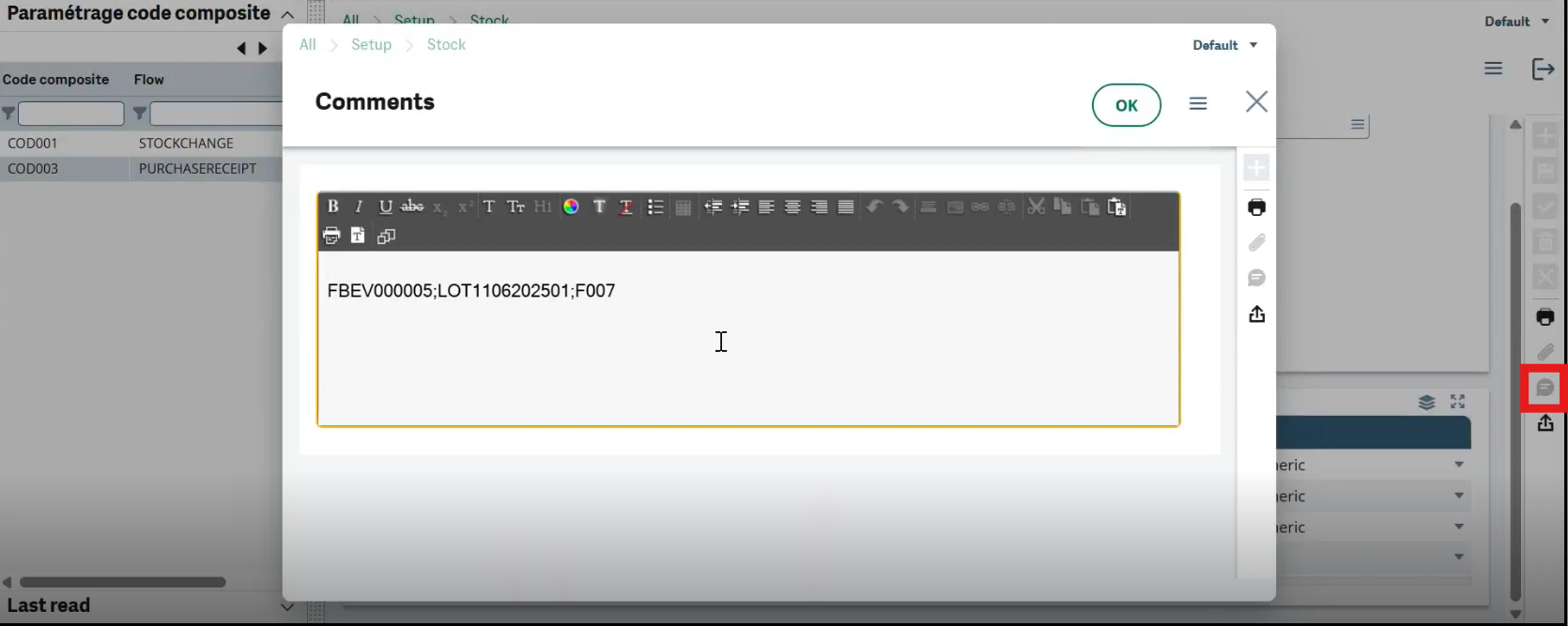
- Your custom composite code is ready to be used in Mobile Automation.
How Mobile Automation interprets composite codes
When a barcode is scanned in Mobile Automation (ADC) application, the system checks if a composite code configuration exists for the current flow.
Mobile Automation applies the following rules when reading a barcode:
-
If a composite code is defined:
The application checks the Composite code setup (GESCMPH) for the active flow and stock site. If there is a match, Mobile Automation uses these settings to interpret the barcode.
-
If no composite code is defined:
The application automatically applies GS1 barcode rules to read and interpret the barcode.
-
If no composite code is defined and the barcode is not GS1 compliant:
The application cannot interpret the barcode. An error message displays.
These rules apply when scanning barcodes on the following flows:
- Purchase Receipt by purchase order
- Stock Change
- Pick Ticket, when the pick ticket is in global allocation
List of recognized fields
STOCKCHANGE,identifier1Destination,identifier1Destination,1,,
STOCKCHANGE,identifier1Filter,identifier1Filter,1,,
STOCKCHANGE,identifier2Destination,identifier2Destination,1,,
STOCKCHANGE,identifier2Filter,identifier2Filter,1,,
STOCKCHANGE,licensePlateNumberFilter,licensePlateNumberFilter,1,,
STOCKCHANGE,locationDestination,locationDestination,1,,
STOCKCHANGE,locationFilter,locationFilter,1,,
STOCKCHANGE,locationSelected,locationSelected,1,,
STOCKCHANGE,lotFilter,lotFilter,1,,
STOCKCHANGE,mainIdentifier1Destination,mainIdentifier1Destination,1,,
STOCKCHANGE,mainIdentifier2Destination,mainIdentifier2Destination,1,,
STOCKCHANGE,mainLocationDestination,mainLocationDestination,1,,
STOCKCHANGE,packingUnitDestination,packingUnitDestination,1,,
STOCKCHANGE,productSelected,productSelected,1,,
STOCKCHANGE,quantityToMove,quantityToMove,2,,
STOCKCHANGE,serialNumberFilter,serialNumberFilter,1,startingSerialNumber,
STOCKCHANGE,startingSerialNumber,startingSerialNumber,1,,
STOCKCHANGE,statusDestination,statusDestination,1,,
STOCKCHANGE,statusFilter,statusFilter,1,,
STOCKCHANGE,stockCustomField1Filter,stockCustomField1Filter,1,,
STOCKCHANGE,stockCustomField2Filter,stockCustomField2Filter,1,,
STOCKCHANGE,sublotFilter,sublotFilter,1,,
STOCKCHANGE,mainStatusDestination,mainStatusDestination,1,,
STOCKCHANGE,packingUnitFilter,packingUnitFilter,1,,
STOCKCHANGE,packingUnitToStockUnitConversionFactorFilter,packingUnitToStockUnitConversionFactorFilter,2,,
PURCHASERECEIPT,closePoLine,closePoLine ,1,,
PURCHASERECEIPT,expirationDate,expirationDate,3,,
PURCHASERECEIPT,identifier1,identifier1,1,,
PURCHASERECEIPT,identifier2,identifier2,1,,
PURCHASERECEIPT,licensePlateNumber,licensePlateNumber,1,,
PURCHASERECEIPT,location,location,1,,
PURCHASERECEIPT,lot,lot,1,,
PURCHASERECEIPT,lotCustomField1,lotCustomField1,1,,
PURCHASERECEIPT,lotCustomField2,lotCustomField2,1,,
PURCHASERECEIPT,lotCustomField3,lotCustomField3,2,,
PURCHASERECEIPT,lotCustomField4,lotCustomField4,3,,
PURCHASERECEIPT,majorVersion,majorVersion,1,,
PURCHASERECEIPT,minorVersion,minorVersion,1,,
PURCHASERECEIPT,packingUnitToStockUnitConversionFactor,packingUnitToStockUnitConversi,2,,
PURCHASERECEIPT,product,product,1,productFromPurchaseOrder,
PURCHASERECEIPT,purchaseOrder,purchaseOrder,1,,
PURCHASERECEIPT,quantityReceived,quantityReceived,2,,
PURCHASERECEIPT,receiptUnit,receiptUnit,1,,
PURCHASERECEIPT,serialNumber,serialNumber,1,,
PURCHASERECEIPT,status,status,1,,
PURCHASERECEIPT,sublot,sublot,1,,
PURCHASERECEIPT,supplierLot,supplierLot,1,,
PURCHASERECEIPT,useByDate,useByDate,3,,
PURCHASERECEIPT,potency,potency,2,,
PURCHASERECEIPT,supplierPackingSlip,supplierPackingSlip,1,,
PICKTICKET,identifier1,identifier1,1,,
PICKTICKET,identifier2,identifier2,1,,
PICKTICKET,licensePlateNumber,licensePlateNumber,1,,
PICKTICKET,location,location,1,,
PICKTICKET,lot,lot,1,,
PICKTICKET,serialNumber,serialNumber,1,startingSerialNumber
PICKTICKET,status,status,1,,
PICKTICKET,stockCustomField1,stockCustomField1,1,,
PICKTICKET,stockCustomField2,stockCustomField2,1,,
PICKTICKET,sublot,sublot,1,,
PICKTICKET,product,product,1,,