
Supervisor administration log file management
| Full version 7 function | Application/Contract | Sage X3/ERP | Class | ATRACE | Representation | ATRACE |
|---|
The AREADLOG interface is used to access the log file generated by Sage X3 functions that were executed on a folder. Those log files are created in the TRA sub-folder of the application folder with a .tra extension. A class and a set of methods are available to create log files and are documented in the Developer Guide Managing Log Files document.
The AREADLOG interface is an update version of the LECTRACE function. It offers improved filtering and sorting options, and a more user-friendly experience for managing and accessing log files.
Creation of AREADLOG class and representation
Classes and representations are used to enable searching, sorting and filtering actions.
The ALOG table stores all the data to be displayed in the representation. The data from the ALOG table shows the list of files contained in the TRA folder.
After the table was created, the persistent class ALOG was created and linked to the ALOG table.
Once both class and table were established, the AREADLOG representation was created.
The AREADLOG representation corresponds to the front-end display of the feature.
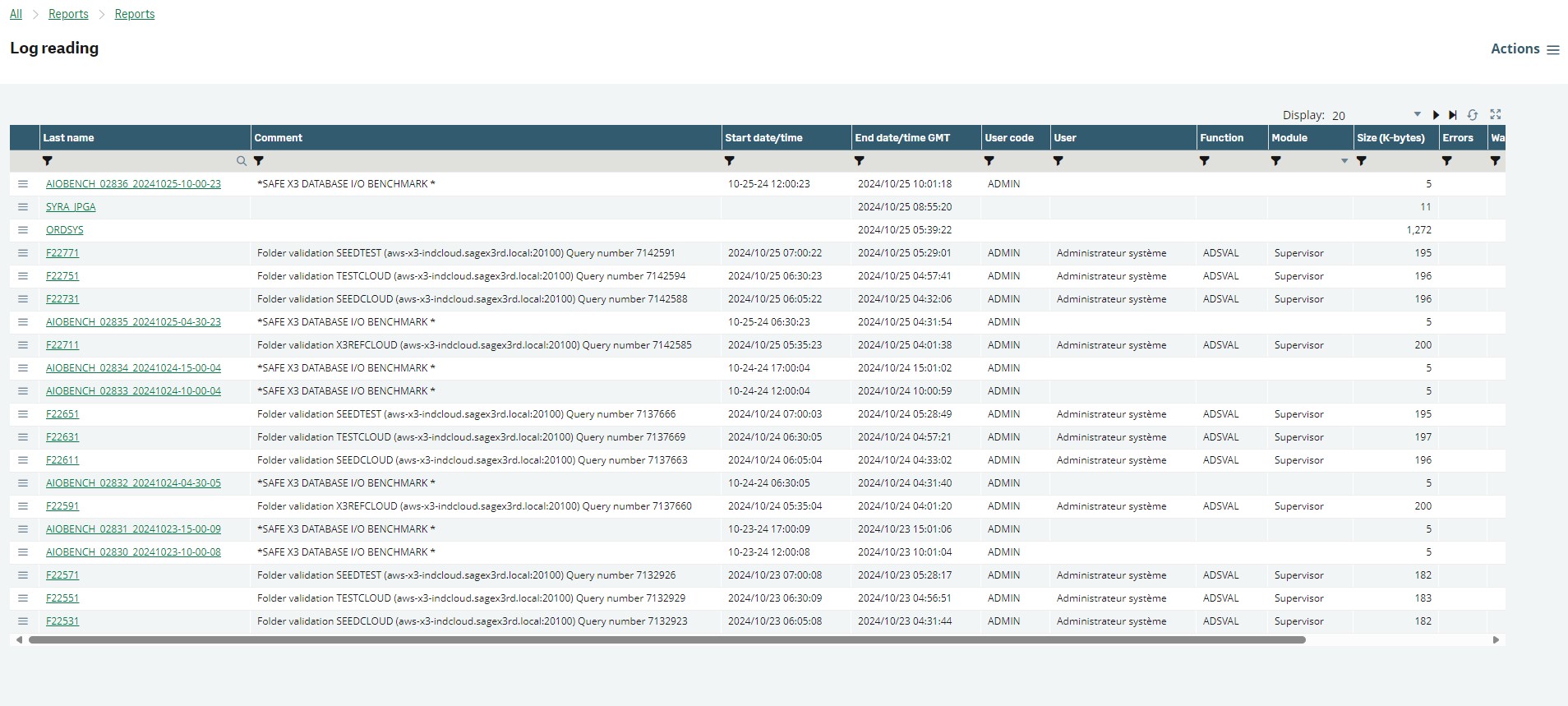
Retrieving the log data from the TRA folder
When the AREADLOG representation is accessed for the first time, the table will be empty.
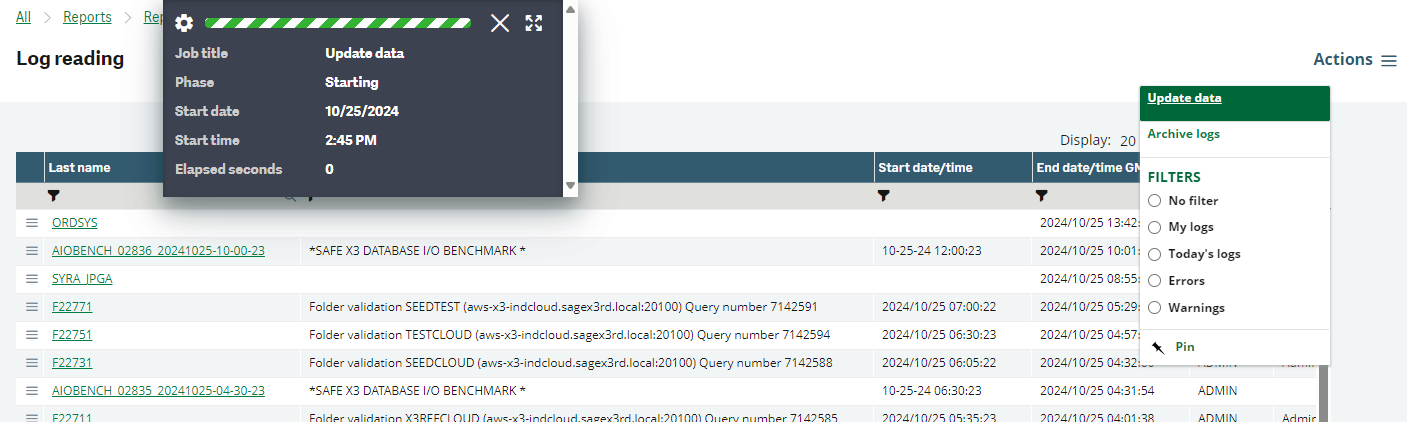
To load data into the table, click the Update the data button. This starts an asynchronous process to retrieve the logs from the TRA folder.
Progress of the log retrieval process can be tracked via the dialog box for asynchronous operations.
For each log file in the folder, the system reads the first line of the log file and parses it to populate the corresponding properties of the table.
Retrieving number of errors and warnings from the log file
To retrieve the number of errors, the GERRTRACE variable is used.
The OUVRE_TRACE subprogram of LECFIC includes a global variable for warnings. The variable is incremented in the GESECRAN script and terminated in FERME_TRACE once it is no longer needed.
If the log file contains errors and/or warnings, a new file is created in the TRA folder with the same name as the log file appended with _ERR.
The newly created log file contains the format number of errors|number of warnings and is parsed by the INSERT_LOGS operation of the class before getting deleted from the folder.
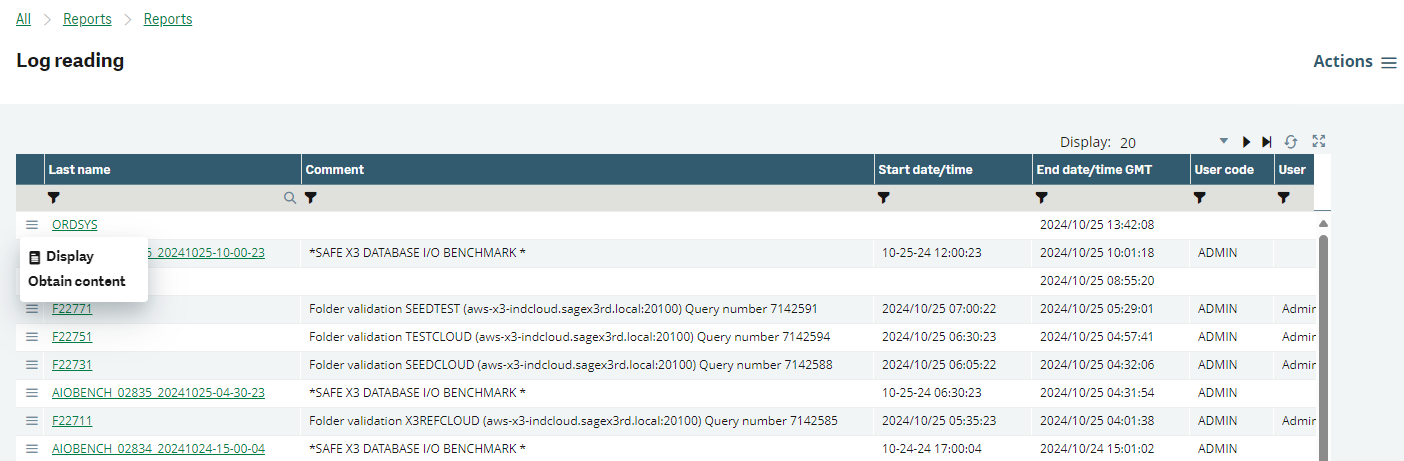
Get content button on each record to open file
For each row, a Log button was added that allows you to open the corresponding log file.
The action AREADLOG was created to make this button function. The AREADLOG function is duplicated from LECTRA with no initial entry and a PARAM.
The function AREADLOG is duplicated from LECTRACE.
The action AREADLOG was added to the LECFIC script alongside the original action, with the PARAM being populated with the log file name to be opened.

Accessing the details facet of every log file
When you click on the name cell of any log record, the details page of that specific entry is displayed.
This page displays key log fields including:
-
Name
-
Comment
-
Start date/time
-
End date/time GMT
-
User code
-
User Name
-
Function
-
Module
-
Size (in Kbytes)
-
Errors (number of errors)
-
Warnings (number of warnings)
-
Archived
Additionally, an extra field was introduced with an icon labeled Data. If you click this icon, the full content of the log will be downloaded directly to your computer.
To navigate back to the main Log reading page, you can click the List button.

Modification of OUVRE_TRACE
The OUVRE_TRACE subprogram in the LECFIC process was modified to include structured information in the first line of the log.
The new format of the first line of the log allows to display additional information, such as module, function, username, file size, and the number of errors and warnings.
Example of the old format:
#<AdxVL>@(#)%I% 06-27-24 12:34:59 (ADMIN) Update: Checking global phase
Example of the new format:
#<AdxVL>@(#)%I%|06/11/24|17:17:02|ADMIN|Administrateur|GESAWI|Supervisor|Window validation AFRQT
Note: | is used as separator.
Archive the logs
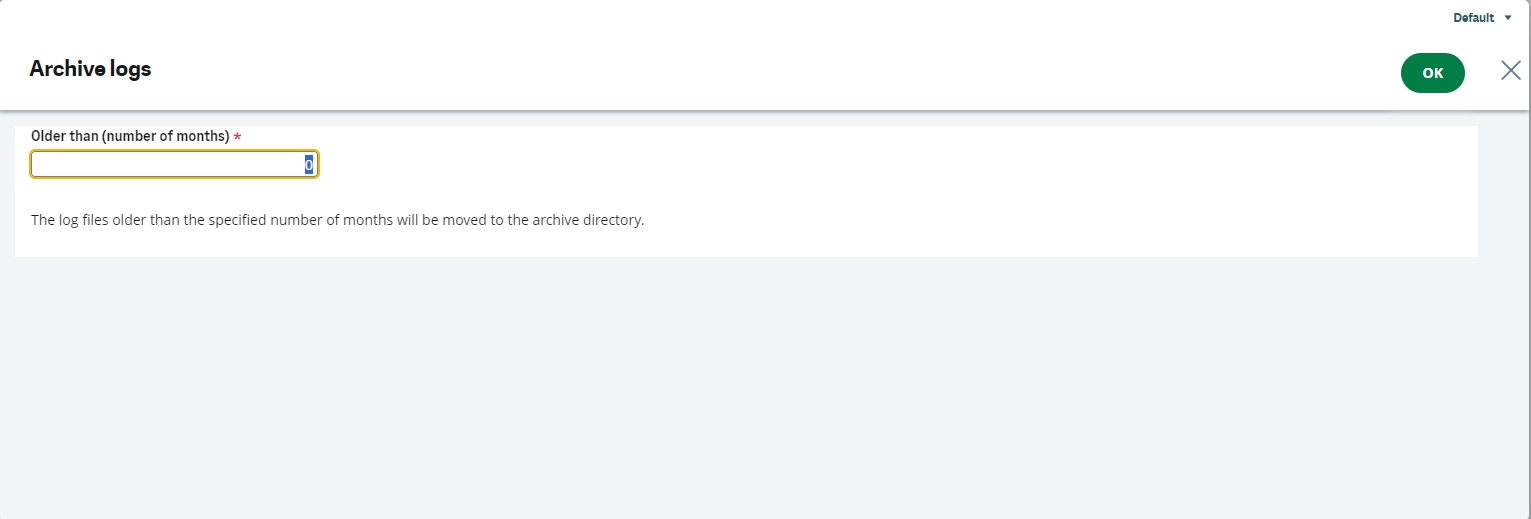
The Archive logs option allows you to transfer log files from the TRA directory to the TRA_HIS archive directory.
The Archive logs was created in order to reduce the amount of traces in the TRA directory. The reduction of the amount of traces in the TRA directory improves the performance of the representation when data is refreshed.
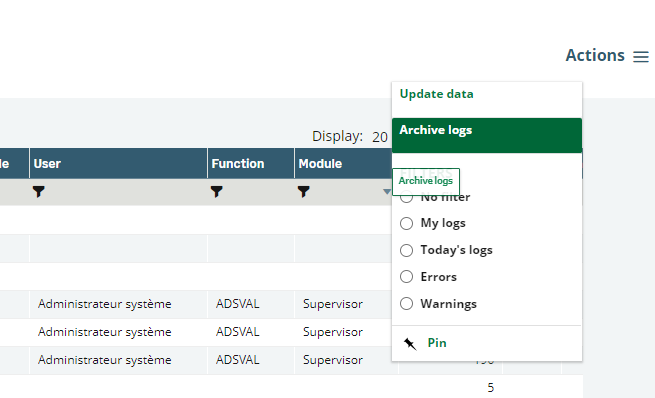
Upon activation, the system launches the AARCHTRA screen and you need to specify the number of months prior to which log files should be archived. If you confirm the operation by clicking the OK button, the following process is initiated:
-
Directory verification: The system checks whether the
TRA_HISdirectory exists. If the directory is absent, it is automatically created. -
Operating System Detection: Based on the server's operating system, the appropriate PowerShell commands are executed to identify and retrieve files older than the user specified data range. This operation also returns the total count of files that match the criteria.
-
File Transfer: The
MOVEsubprogram within theORDSYSmodule is invoked to relocate the identified files from theTRAdirectory toTRA_HIS. -
Temporary Log Display: Upon completion of the file transfer, a temporary log is generated, It lists the files that were moved along with the corresponding file count.
The Archived column in the logs' user interface is updated to reflect the status of the files that have been successfully archived.
Batch task for refreshing and archiving logs
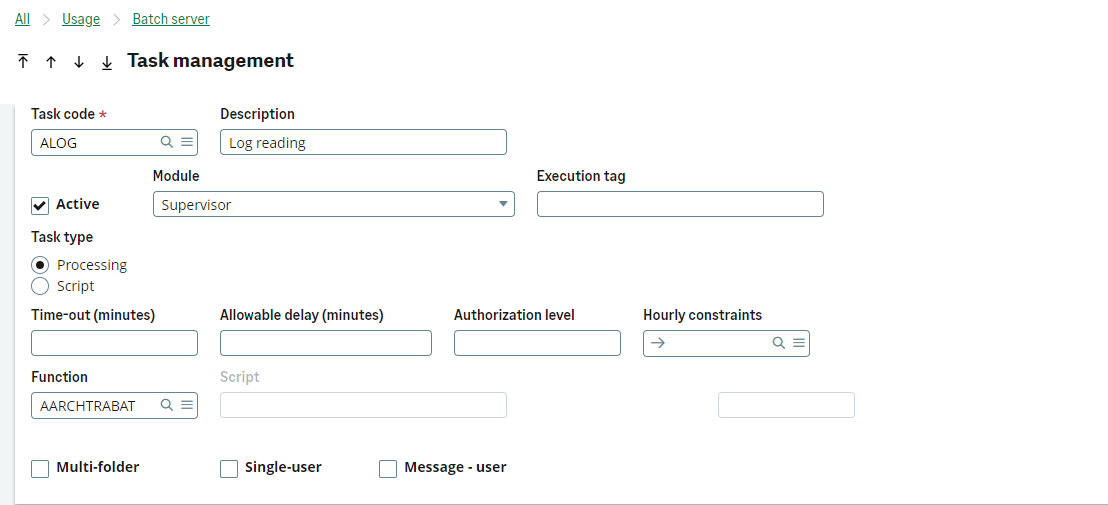
An extra ALOG task was introduced to allow for the execution of refreshing and archiving logs as a recurring batch task.
List of created or modified elements
| Element | Name | Comment |
| TRT | LECFIC | Adjusted the first line format. Increase the maximum number of characters to 250. Retrieved the number of warnings. |
| AMK | LECFIC | Increased the length of LIGNE to 250. |
| ACLA | AREADLOG | Created the AREADLOG class. |
| ASW | AREADLOG | Created the AREADLOG representation. |
| ATB | ALOG | Created the ALOG table to store and display logs retrieved from the TRA folder. |
| TRT | AREADLOG_CSTD | Standard class script. |
| TRT | AREADLOG_CSTD_OPERATIONS | Created a script for class operations. |
| TRT | AREADLOG_CSTD_PROGS | Created a script for class programs. |
| TRT | AREADLOG_RSTD | Standard representation script. |
| TRT | AREADLOG_RSTD_EVENTS | Created a script to manage representation events. |
| TRT | ALOG_CSTD | Adapted the ALOG class script to align with the changes made to LECFIC. |
| TRT | GESECRAN | Incremented the GWARNINGTRA variable to retrieve the number of warnings. |
| ACT | AREADLOG | Created an action, duplicated from LECTRA, without an initial entry. Added a PARAM for opening the log in representation. |
| AFC | AREADLOG | Created a function, duplicated from LECTRACE, that calls the AREADLOG action and enables opening the log in the representation. |
| ACLA | AAUS | Created a cache class to retrieve the connected user (GUSER) in the ALOG class script. |
| ABT | ALOG | Created a task to populate the ALOG table. |
| TRT | ALOG | Created ascript ALOG for management of ALOG task. |
| ACT | AARCHTRA | Created an action for archiving logs from representation. |
| ACT | AARCHTRABA | Created an action for archiving logs from batch. |
| AFC | AARCHTRA | Created a function for archiving logs from representation. |
| AFC | AARCHTRABAT | Created a function for archiving logs from batch. |
| ATY | ALG | Created data type for logs to make clicking on file names and details facet accessible in representation. |
| AMK | AARCHTRA | Created a criteria screen for archiving logs from representation. |
| AMK | AARCHTRABAT | Created a criteria screen for archiving logs from batch. |
| AWI | AARCHTRA | Created a window for the criteria screen to archive logs from presentation. |
| AWI | AARCHTRABAT | Created a window for the criteria screen to archive logs from batch. |