
HTML editor
The HTML Editor is a dedicated widget for editing HTML texts.
It can be used on any type of client page. The component looks like an editor with an upper black bar incorporating several icons grouped into sections:
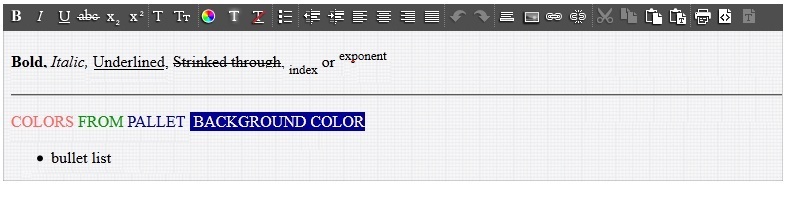
This component provides several HTML features that are available by clicking the corresponding icons described according to their related grouping section:
- Setting the font characteristics:
- Bold, Italic, Underline, Strikethrough, Subscript, Superscript
- Font , Font size
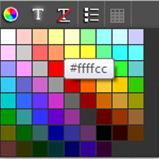
- Font color, Background color, Character formatting suppression. When the color is selected, a tooltip displays the code of the color as shown here:
- Setting the paragraph settings:
- Bullets
- Margin left / right shift, Left alignment, Centered text, Right alignment, Justified text
- Undo and Redo
- Miscellaneous elements:
- Horizontal bar
- Picture insertion
- Hyper-text link insertion, Hyper-link removal
- Copy and paste operations:
- Cut
- Copy
- Paste, Paste as text
- Others:
- Display the source (in switch mode)
- Switch in plain text mode
When using the source mode, other HTML tags can be entered or copied and pasted from another HTML source, such as HTML table definition. The switch back to the editor mode displays the table as presented below:
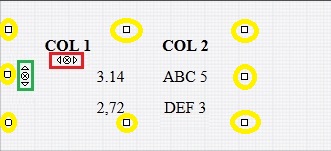
As per the above sketch, the following features are available:
- The square handles surrounded by yellow circles can be used to change the dimension of the table.
-
When the cursor is located in a cell, the three icons enclosed in a green square enable you to:
- Add a line before the current line
- Delete the current line
- Add a line after the current line
-
When the cursor is located in a cell, the three icons enclosed in a red square enable you to:
- Add a column before the current column
- Delete the current column
- Add a line after the current column