
How to insert a table
-
Place the cursor where you want to insert the table.
-
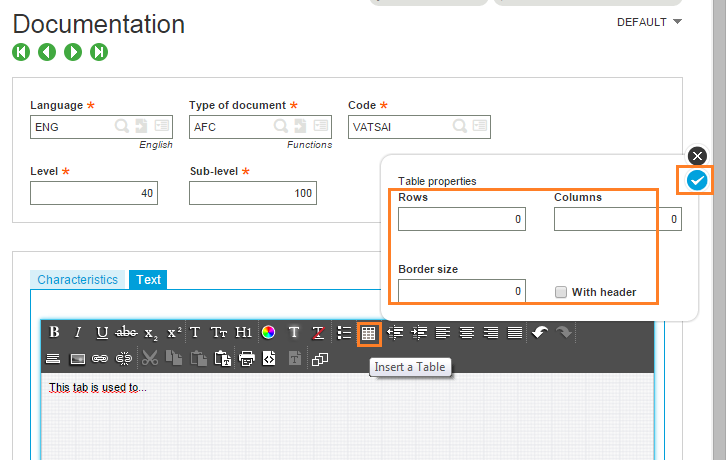
Click Insert a table icon in the text editor.
-
Specify the number of rows, columns, and border size in the corresponding fields.
-
Select the With header check box to insert the column headers.
-
Validate.
To exit the table, press the ESC key. To change cell, double-click the new cell (tabbing over just makes a cell larger).