
Bank statement import workflow
This section provides an overview of the bank statement import workflow. You can access these functions from A/P-A/R accounting > Bank transactions > Advanced bank statement.
Bank transactions import (BSIIMPORT)
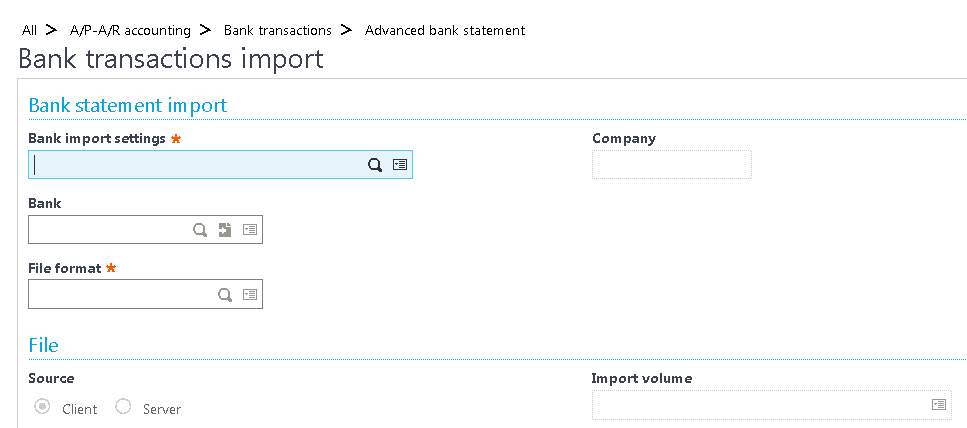
Use the Bank transactions import function (BSIIMPORT) to import your file.
Bank transactions management (BSIIMP)
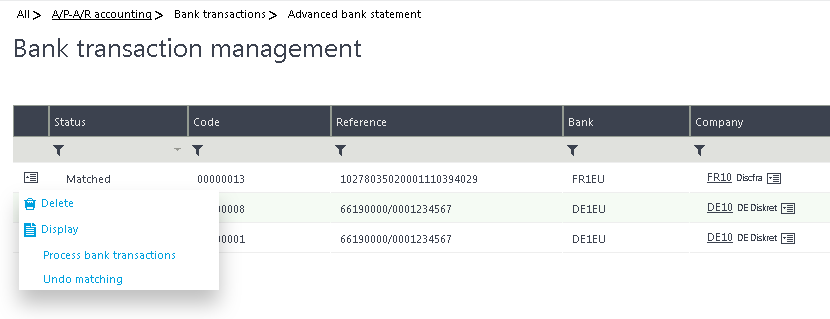
After a successful import, the file is shown in Bank transactions management as a new bank statement.
Click Process bank transactions from the Action icon menu on the line. You can match the entire statement or match transaction by transaction.
Remember to read the complete Advanced bank statement import setup and workflow guide available from the How to tab.