Step 1: Setup
Concept
Some settings are necessary to manage the mandates in AR process.
- Local menus - Messages (TXT)
- Payment entry transaction (GESTPY)
- Open item management (GESGDS)
- Payment methods (GESTAM)
- Miscellaneous tables (FONADI)
- Import/export templates (GESAOE)
- Bank file definition (GESTFB)
Local menus (TXT)
Setup parameters to manage the SEPA Direct Debits.
Open: Development > Data and parameters > Tables > Local menus - messages
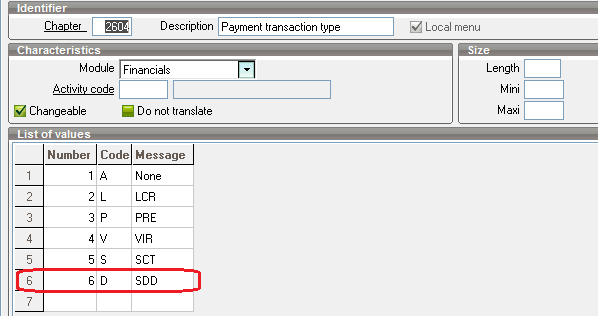
Chapter 2604 – Payment transaction type
A new payment transaction type has been added: SDD.
Management of SEPA mandates in AR processes in Sage X3
Payment entry transaction (GESTPY)
Open: Setup > A/P-A/R accounting > Payment entry transactions
SDD transaction
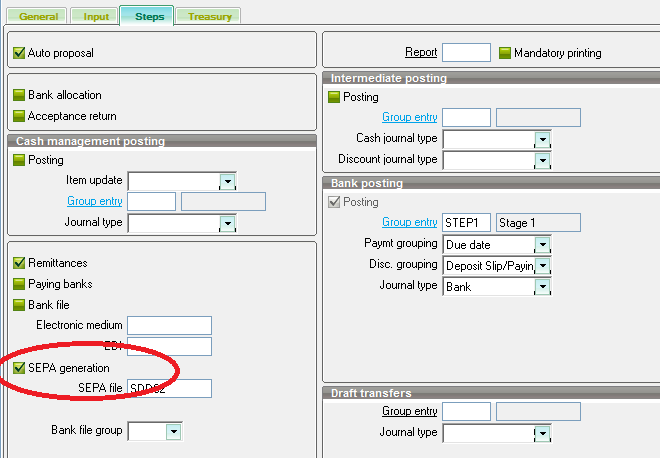
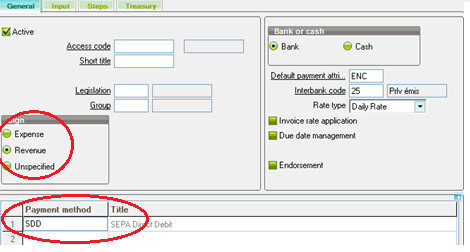
Any payment entry transaction with the Revenue sign and the SEPA generation flag is considered to be a SDD transaction in the scripts and functions of Sage X3.
In order to manage the SDD collections, a SDD transaction must be created.
-
Now, the SEPA generation flag applies to the SCT and the SDD types.
If you enter the SEPA file first, there is no control regarding the bank file group and he can enter a bank file group with no link with the SEPA. In this case, when generating the SEPA file, an error message is displayed: “Incorrect file structure”. You need to correct your bank file if required.
If this value is entered first, the system will limit the SEPA file selection according to the legislation and the bank file group.
Caution: Selection on the field File SEPA provides direct access to any file, not only SEPA files. - New coherence control between the transaction sign, the SEPA generation flag and the selected payment methods:
If the entry transaction sign is Revenue and the SEPA generation flag is selected, the selected payment method must be SDD.
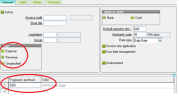
- If the coherence is not respected, a blocking error message displays: “SEPA type transaction: inconsistency between payment sign and associated payment methods (XXX)”
Open item management (GESGDS)
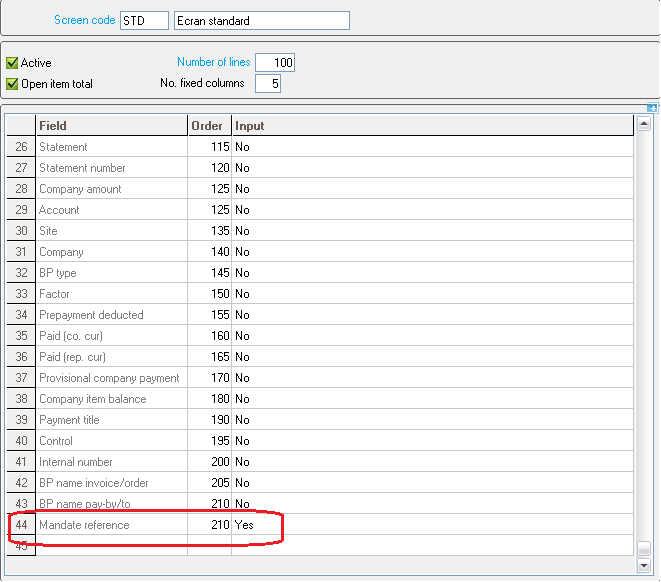
Open: Setup > A/P-A/R accounting > Screens > Open item mgmt
The Mandate reference field allows management of the mandate.
Payment methods (GESTAM)
Open: Common data > BP tables > Payment methods
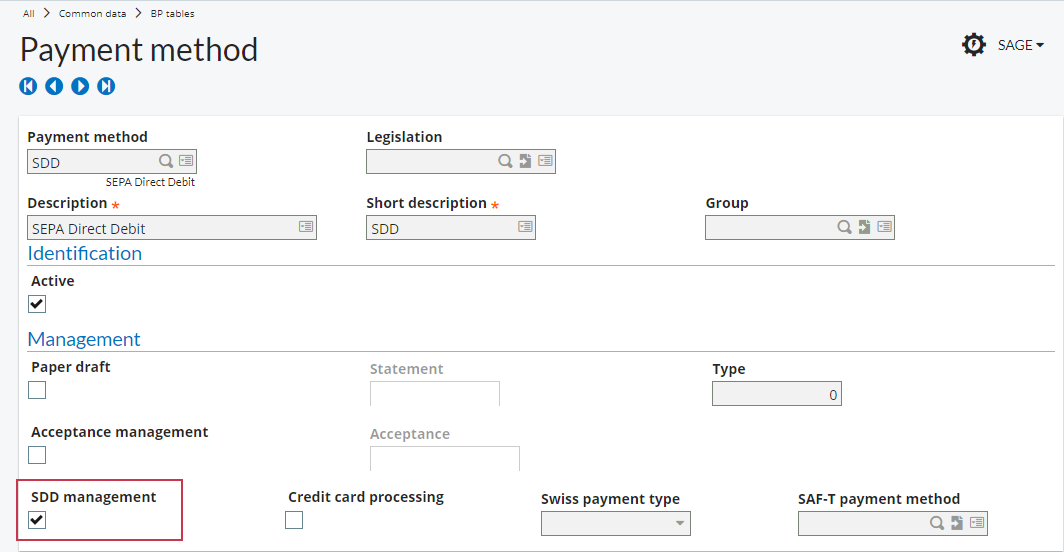
Use the Payment methods function (GESTAM) to define payment methods applicable to SEPA mandate processes and functions.
Setup
In the Management block, select the SSD management check box to specify that the payment method is linked to the SDD mandate management mode (SEPA Direct Debits). In this case, the Statement field becomes inactive. Therefore, it is not possible to enter a statement code for a SDD mandate type. In other words, the SDD open items never appear on a statement. Conversely, the Statement field becomes active when the SDD management box is cleared.
Miscellaneous tables (FONADI)
Open: Common data > Common data > Miscellaneous tables
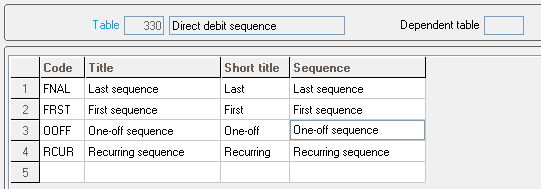
Table 330 - Direct Debit sequence
In table no.330, SDD sequences are defined. These sequences will be allocated to the collections according to the order of payment creation.
Import/export templates (GESAOE)
Open: Setup > Usage > Imports/Exports > Import/export templates
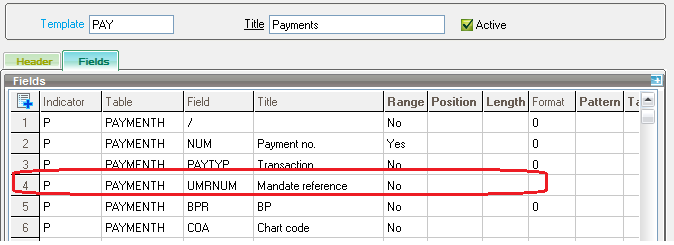
SDD payment entry import
Addition of the Mandate reference field in the PAY template.
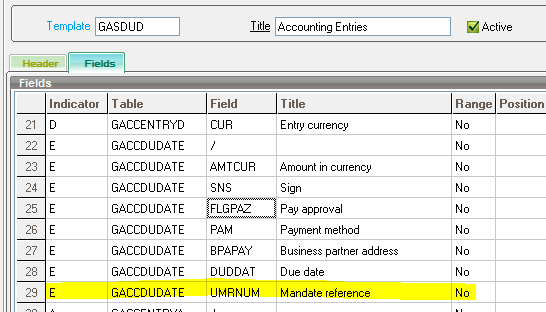
SDD journal entry import
In the delivered template GASDUD, the Mandate field is available.
Bank file definition (GESTFB)
Open: Setup > A/P-A/R accounting > Files > Bank file
SDD bank file
A presetting is provided to generate the XML file: SDD02.
The SEPA direct debit is based on the “Customer Direct Debit Initiation” ISO20022 standard.
The Customer Direct Debit Initiation message contains structured data grouped in “blocks, that are defined as schema “pain.008.001.02” (that is used for CORE/COR1 as well as for B2B).
This XML field always consists of three parts:
-
GroupHeader block (header)
This building block is mandatory and appears once. It contains general elements that apply to the whole message (date of creation, transaction number…).
-
PaymentInformation block (header)
This building block is mandatory and repetitive. It contains elements related to the credit part of the transaction (due date, payment method, type of payment, Creditor Identifier, credit account…).
-
DirectDebitTransactionInformation block (Detail)
This block is part of the PaymentInformation block. It is mandatory and repetitive (as many times as there are payments in the remittance). It contains elements related to the debit and mandate information (References, URM, amount, debit account…).
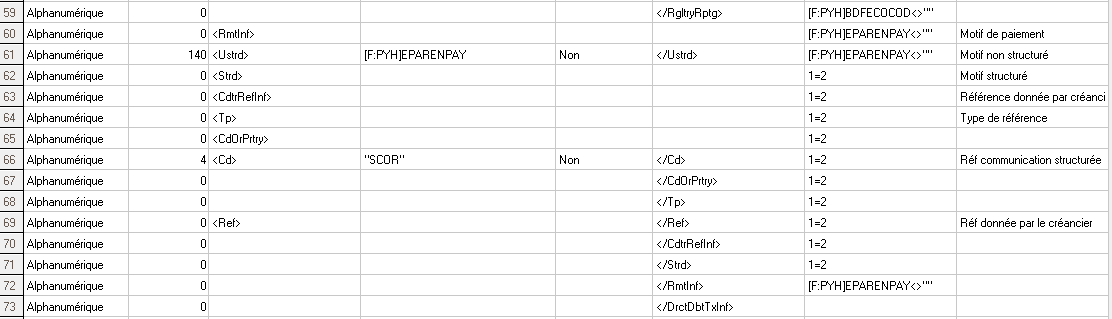
This presetting uses the sequence number defined in the Sequence number assignment function (GESTCA), for the Document type: SEPA reference message
Some banks require additional information, this presetting can be adjusted in order to meet different needs.
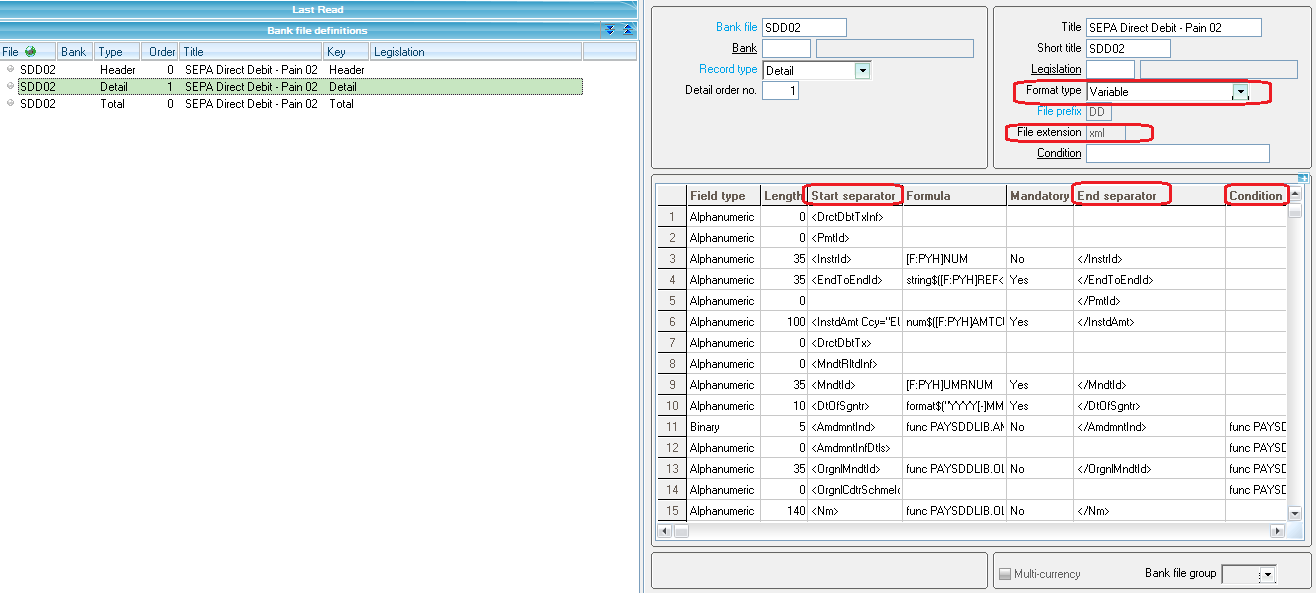
Bank file designer
The bank file designer is updated in order to manage XML tags:
|
Field |
Comments |
|---|---|
| Format type |
Fixed or Variable format |
| File extension |
If the file extension is entered, it is used in addition to the extension already existing in the Bank accounts function (GESBAN). |
| Start separator / End separator |
It is used to enter XML tags. |
| Mandatory |
It is available when the content between XML tags does not match an XML element group. |
| Condition |
XML management rules impose that start and end tags should not be generated if there is nothing between these two tags.
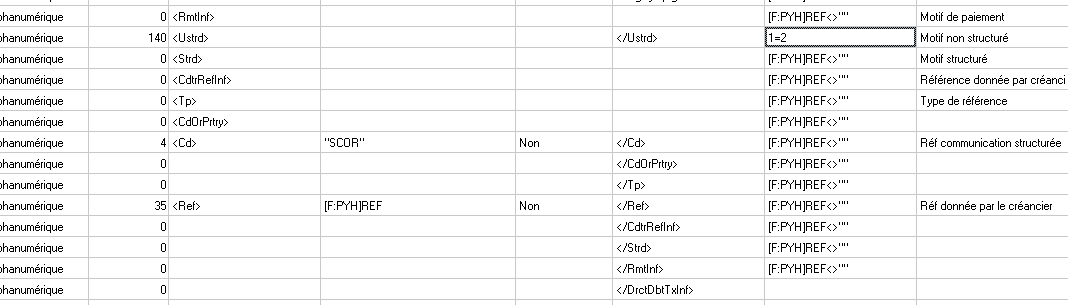
Entering a condition is not necessary for tags containing optional data as long as these tags are not enclosed directly within an XML element group. Indeed, the FICMAG process automatically detects such records and does not create them. The information entered in order to enable the matching with the payment transfer made (e.g. a commercial invoice) has an unstructured form (EPC recommendation), a structured form but not both. ;
In case of structured information, the values for codes are listed or pre-agreed with the financial institution. Example of structured information
|