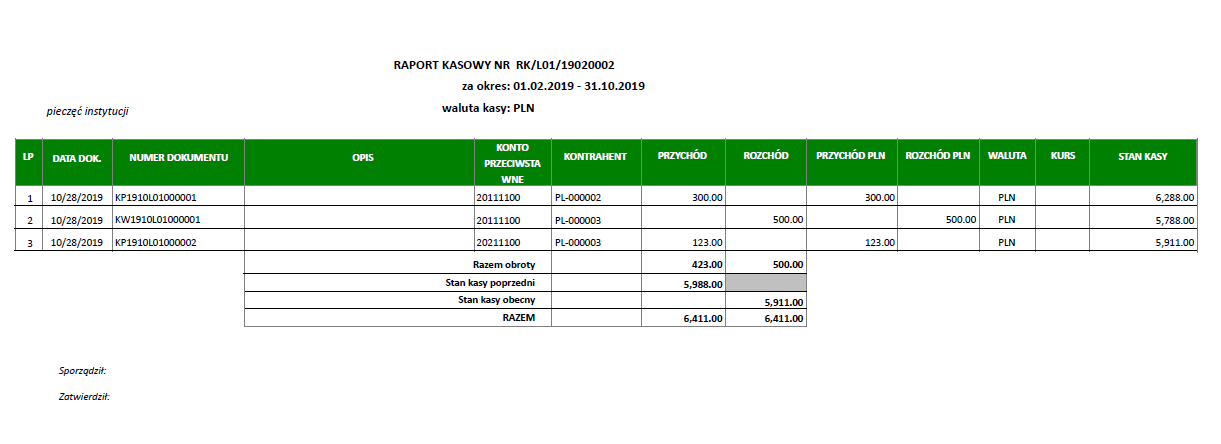
Cash register
In Poland, the cash register is an accounting document used in cash payments. It is a summary document of cash transactions within a specified period, confirmed by documents:
-
KP (Kasa Przyjmie - Cash In) - receipt of cash collected by the company.
-
KW (Kasa Wyda - Cash Out) - receipt of cash withdrawal from the company.
Use this function to:
-
Create a cash register for the selected time period.
-
Create payments/receipts inside the cash register.
-
Post payments/receipts using the standard payment function.
-
Close the cash register. After closing, you cannot change anything in the register or in the payments linked to the closed register.
-
Print Cash in and Cash out payments in accordance with Polish legislation.
-
Print the cash register in accordance with Polish legislation.
Setting up cash registers
This feature is delivered in the A/P-A/R Accounting > Payments> Polish legislation>Processes.
Setting up payment entry types
In the Payment entry type function (GESTPY), apply the following specific settings in the entry type:
-
Entry section: select Cash register for the Payment entry type dropdown list.
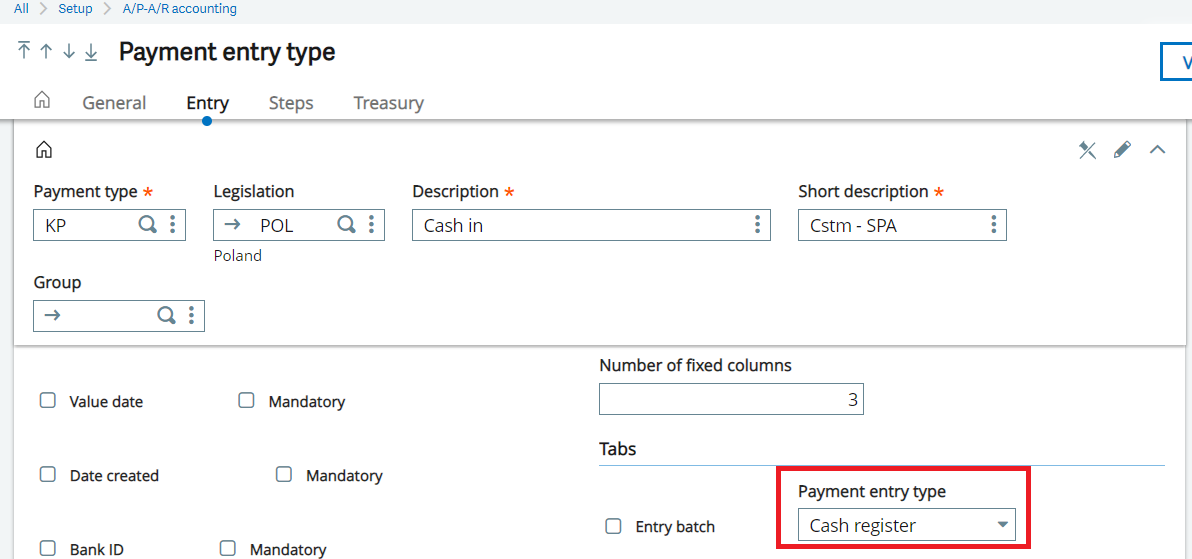
-
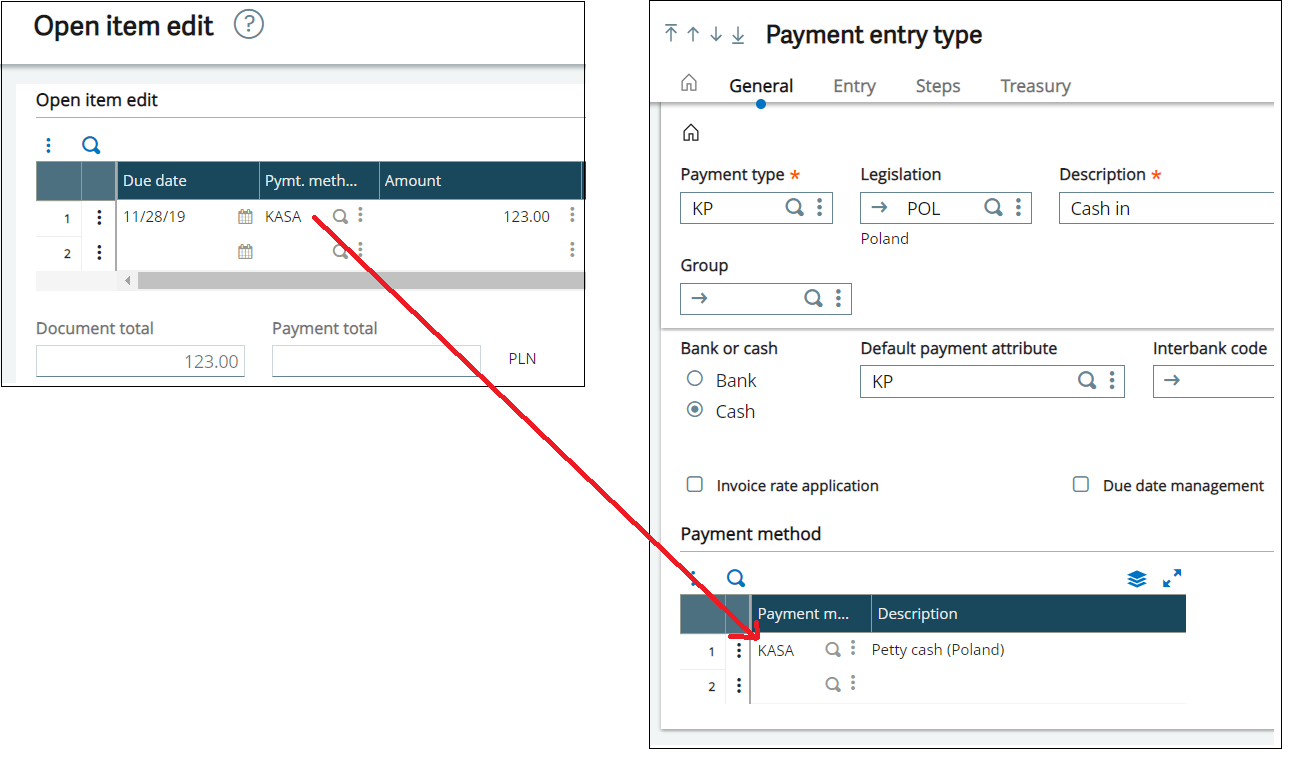
General section: enter the document type in Payment type, then select Cash in the Bank or Cash field and select KASA for the Payment method.
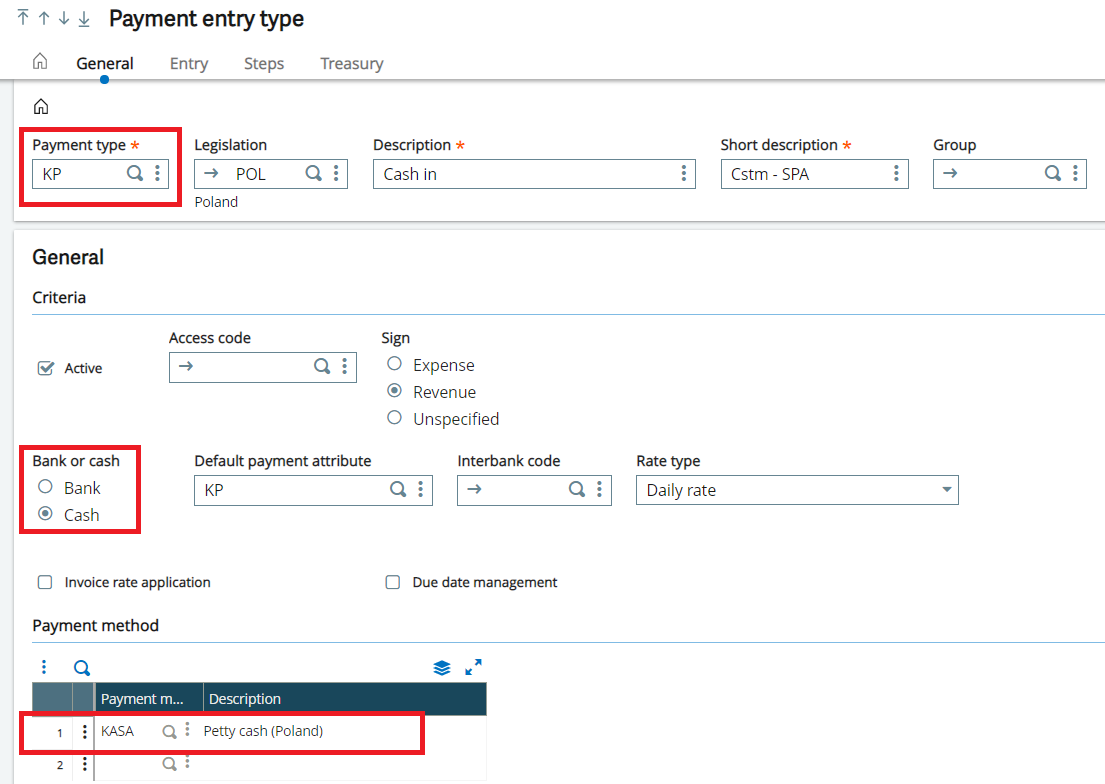
Creating sequence numbers
You can create your own sequence number for the cash register using the standard Sequence number function (GESANM). Example:
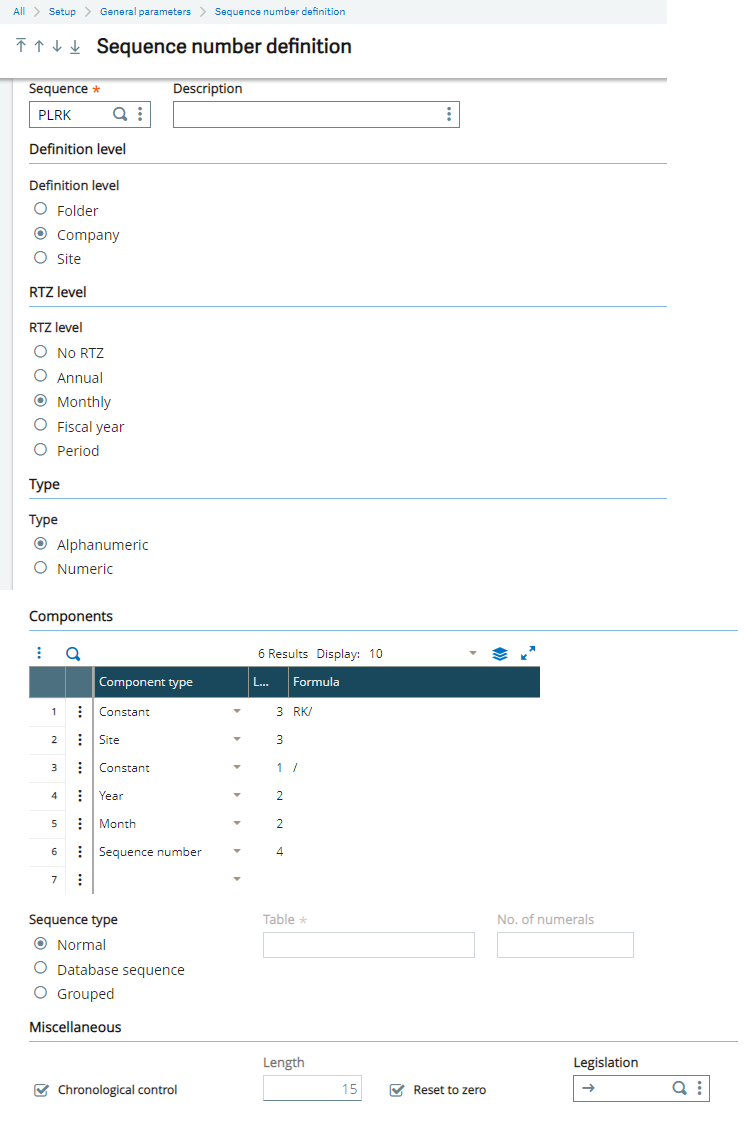
Creating petty cash accounts
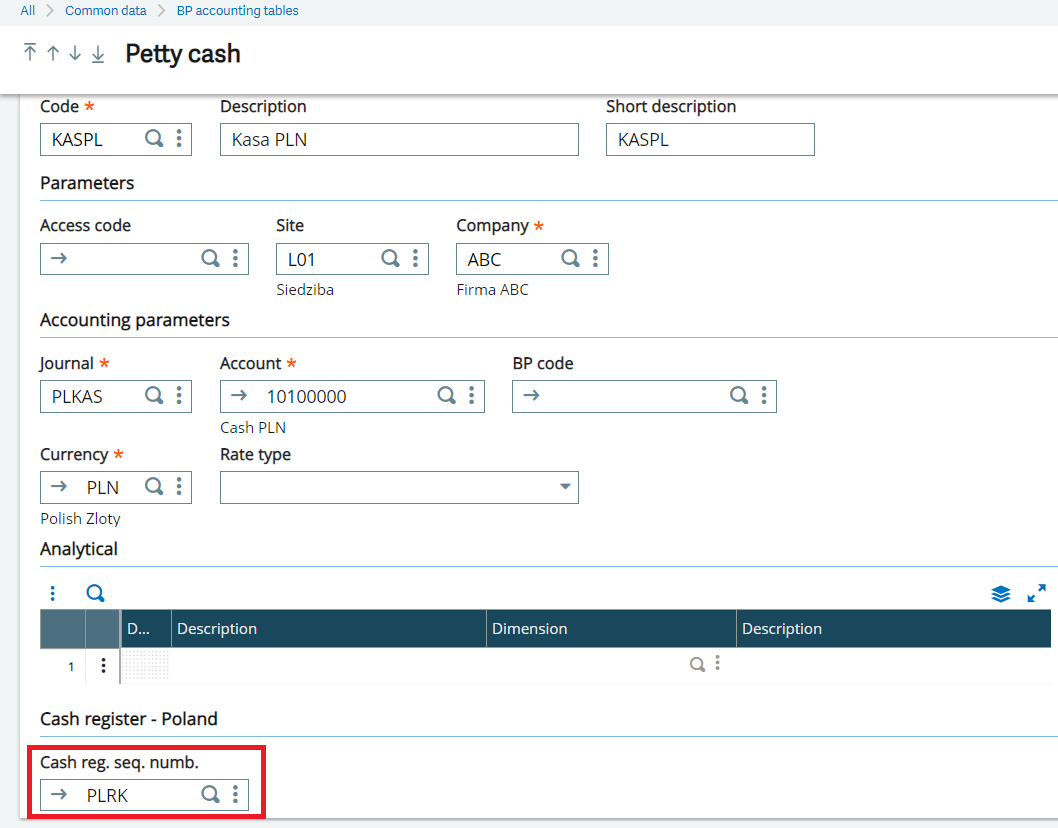
You can create a petty cash account using the standard Petty cash function (GESCAI). Use this function to assign the sequence number created in previous step to the Cash reg. seq. numb. field.
Linking incoming or outgoing payment transactions
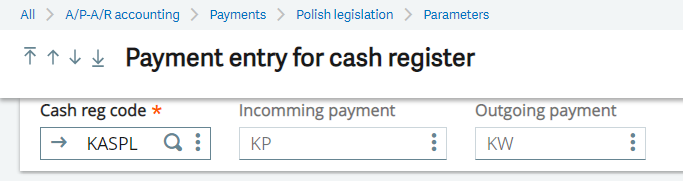
The payment entry type created in previous step is for incoming or outgoing payment transactions. To link the incoming or outgoing payment transactions to the Petty cash function (GESCAI), go to A/P-A/R accounting > Payments > Polish legislation > Parameters and use the Payment entry screens assigned to cash function (GESXDF).
To set the Payment entry for cash register, you need to select:
-
Cash reg. code: Select petty cash
-
Incoming payment: Select payment entry type with Sign = Revenue
-
Outgoing payment: Select payment entry type with Sign = Expense
Printing
Two types of printouts are available:
-
Payments: Cash in and Cash out (XD_POL_AC_KPKW).
-
Cash registry: XD_POL_AC_CASHR.
Creating cash registers
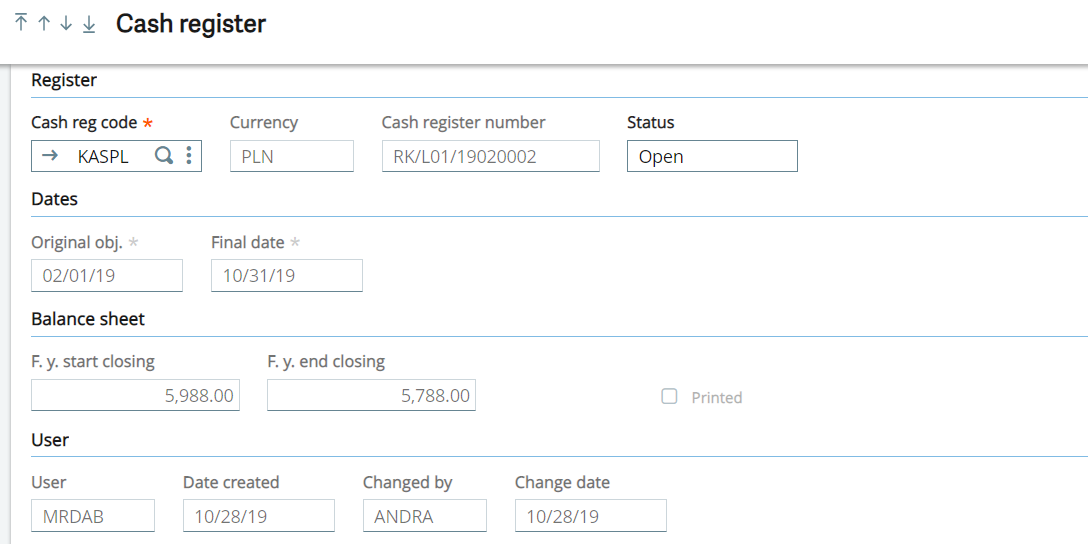
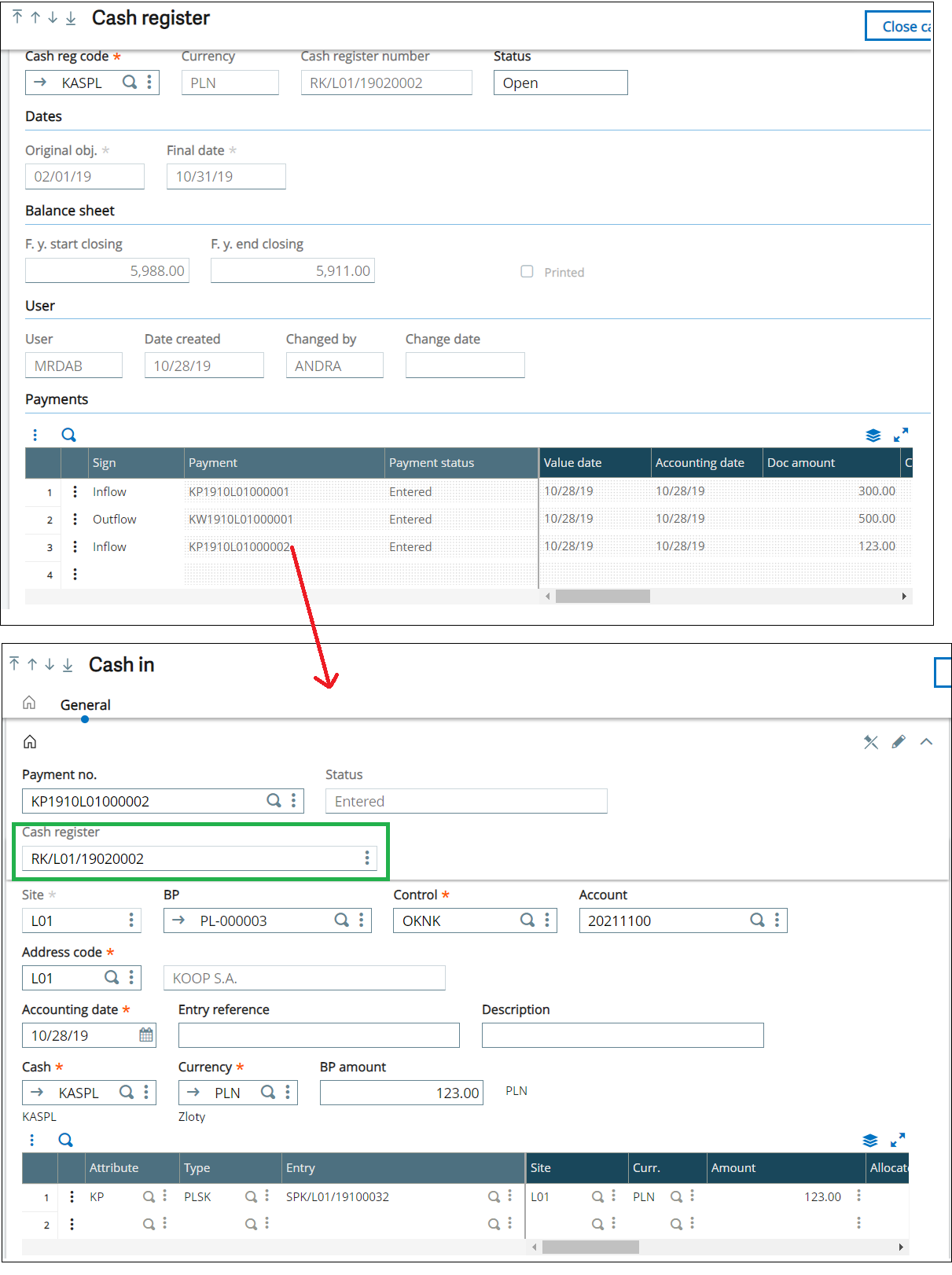
To create a cash register with the Cash register function (GESXDC), you need to enter:
-
Cash reg. code: Select the Petty cash (GESCAI) account code you created.
-
Currency: This field defaults from the petty cash account you created.
-
Dates:
-
The dates from the same registers (the same code/petty cash) cannot overlap.
-
An Accounting date in the linked payments must match those dates.
-
-
Status:
-
This field displays the register status: Open or Closed.
-
If Closed, nothing can be changed in the register or in payments linked to this register.
-
-
F. y. start closing:
-
For the first cash register, this field displays the petty cash account balance on the last day of the previous month before the Start date entered in the cash register. You can change this manually.
-
For the next cash register, this field automatically displays the value from the F. y. end closing of the previous cast register.
-
-
F. y. end closing:
-
This value is automatically calculated using the F. y.start closing amount and payments registered in this cash register.
-
F. y. end closing = F. y. start closing + incoming amounts - outgoing amounts
-
Creating payments
In Cash register:
-
Click Journals button to create a payment. When you click Journals, a window opens called Transaction selection.
-
In the Transaction selection window, select Payment entry types, which is set up in Payment entry screens assigned to cash function (GESXDF) used in this cash register. After selecting a transaction, the action goes to the standard Payment/Receipt entry function (GESPAY).
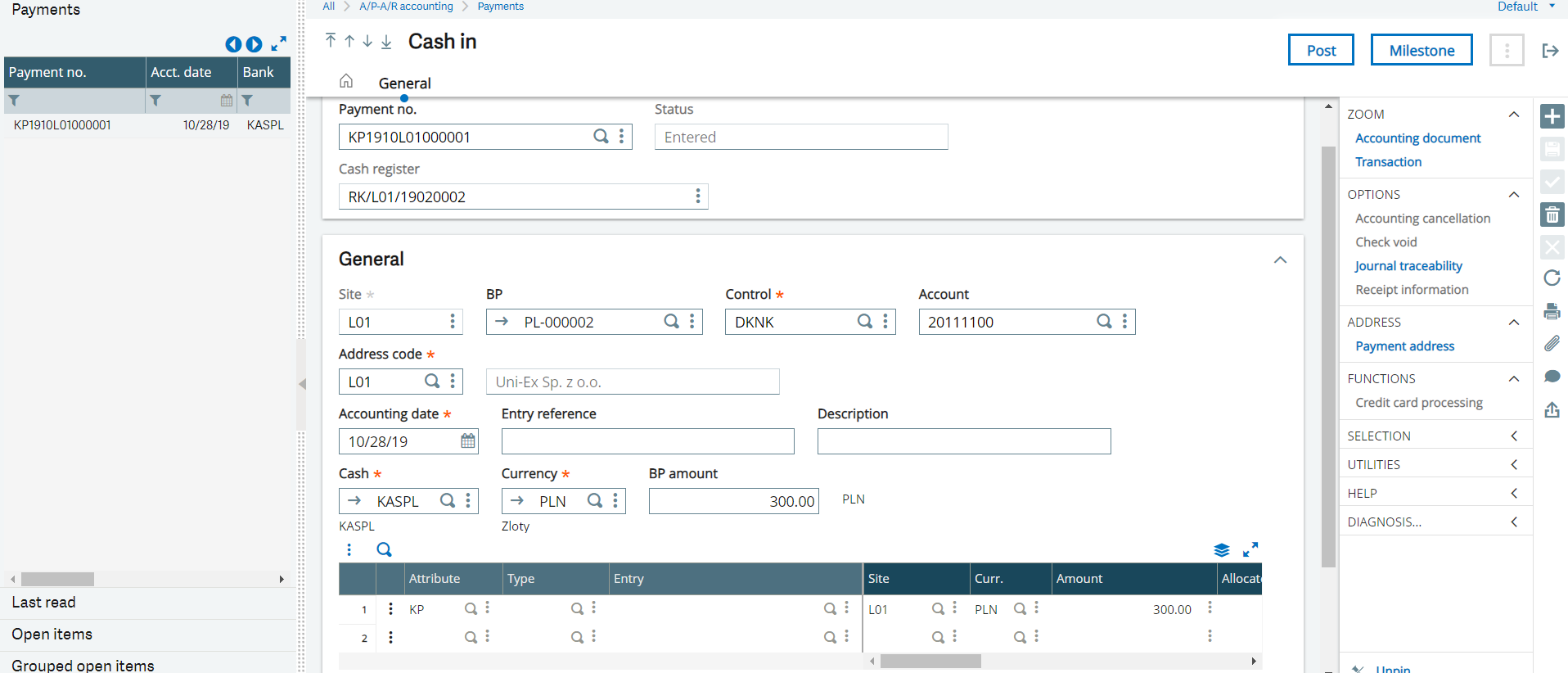
It is a standard Payment/Receipt entry function (GESPAY) with some modifications:
-
On the selection panel is a list of payments linked to the same cash register, the same type and with the same cash register number.
-
The Site field is cannot be edited, because it is default from cash register.
-
Accounting date: must fits Start date and Final date from Cash/Bank register.
After creating payments, it is possible to:
-
Post the payment: standard function
-
Make an accounting cancellation: standard function
-
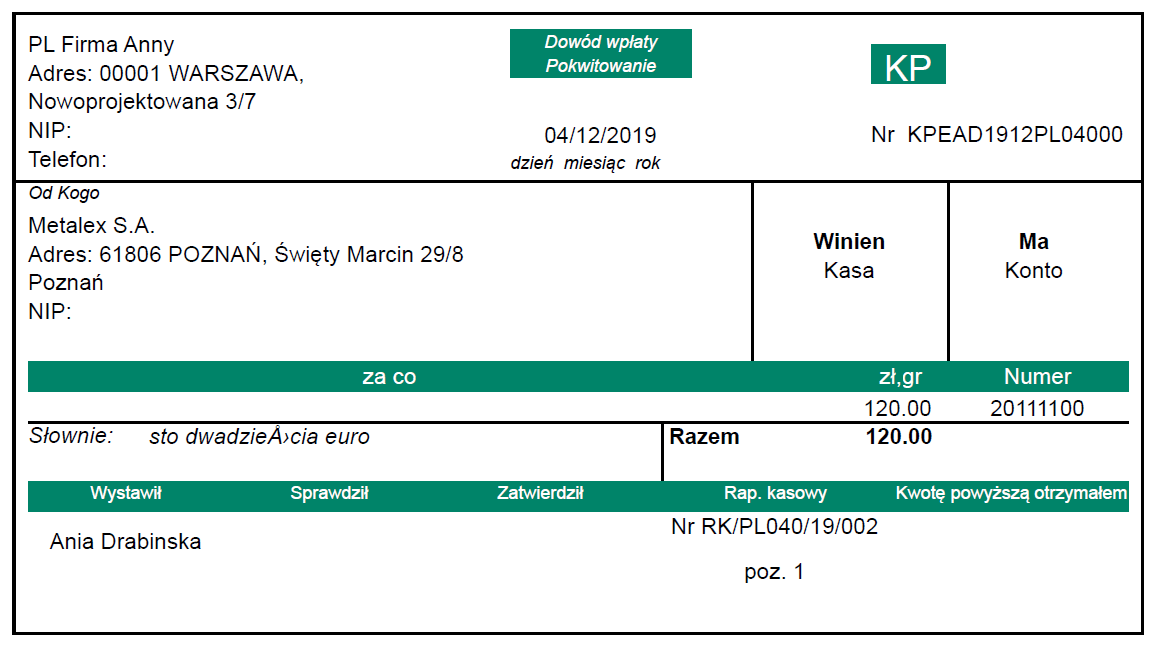
Print payments:
-
Printouts are available in the layout required by the Polish regulations (KP-Cash in and KW-Cash out) in report: XD_POL_AC_KPKW.

-
Creating payments from sale invoices
In Sale invoices function (GESSIH), click Payment button.
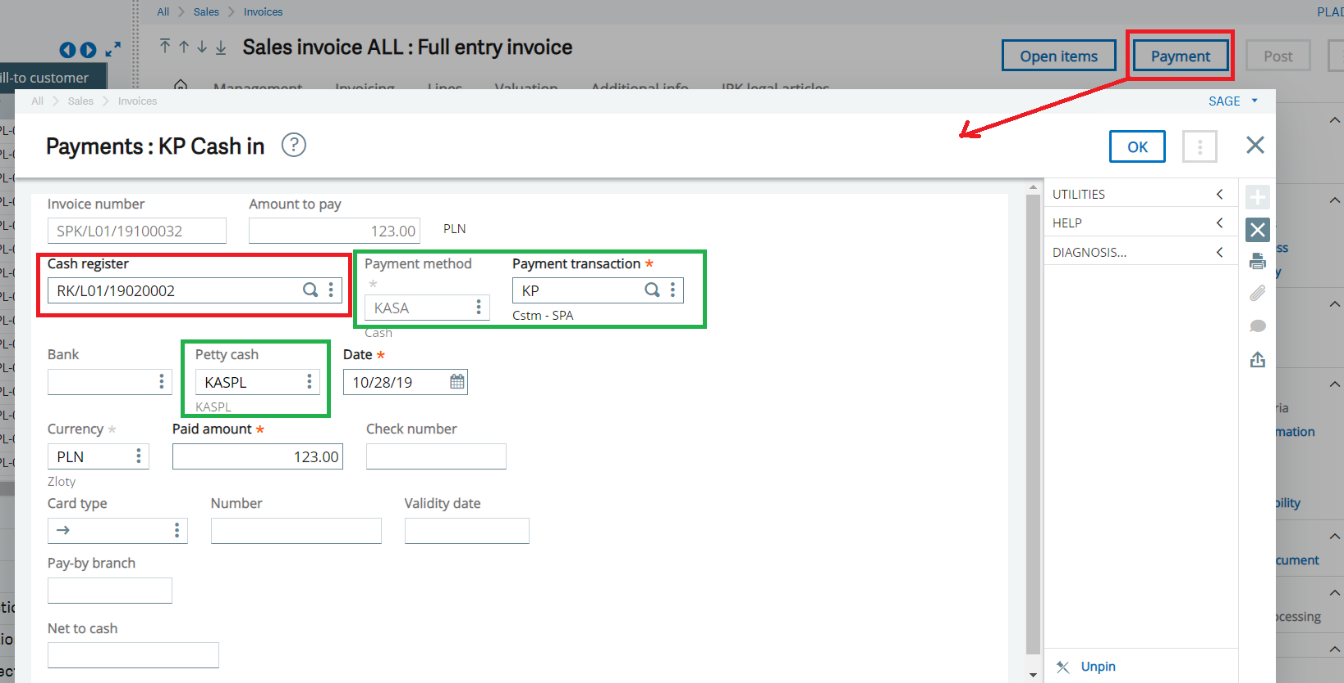
The Cash register field is available in the Payment screen if the open item has a payment method linked to the Cash in the Payment entry type function (GESTPY).
In the Cash register field, select the cash register where you want to create a payment.
Closing cash registers
To close a cash register, all payments must be posted (Payment status = In the bank).
After closing the register, you cannot make any changes in the register or in the payments. You cannot create a new payment or use Accounting cancellation.
You can print the cash register in the layout required by the Polish regulations using the XD_POL_AC_CASHR report.