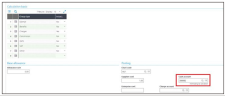
Using the withholding codes
Four withholding codes are provided in Withholding management. These codes are the standard withholding tax rates set by the Australian Tax Office (ATO) if the country of the supplier does not have any tax treaty agreement with the Australian government. These should be reviewed and updated depending on your specific requirements.
Withholding codes
Abrir: Common data > Common tables > Withholding management
AUDVD
AUDVD is a Withholding code for dividends paid to foreign suppliers. The standard rate for AUDVD is currently set to 30% and the Withholding category for this code is W3.


AURYLT
AURYLT is a Withholding code for any royalty payments paid to foreign suppliers. The standard rate for AURYL is currently set to 30% and the Withholding category for this code is W3.


AUINT
AUINT is a standard Withholding code for any interest paid to foreign suppliers. The standard rate for AUINT is currently set to 10% and the Withholding category for this code is W3.


AUNOABN
AUNOABN is the Withholding code used when you withhold payment from a supplier who does not quote an ABN. The standard rate for AUNOABN is currently set to 49% and the Withholding category for this code is W4.


If you would like to use a specific withholding rate, you can create a new withholding tax code in Withholding management or update the existing ones.
Create a new withholding tax code
-
Open the Withholding management function (GESRTZ).
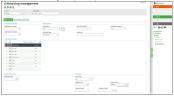
-
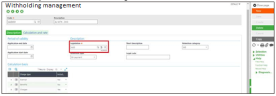
Make sure you select AUS for the legislation.
-
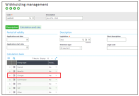
Set Charges = Yes
-
Select the Cash account from the GL accounts. If you are using multi Chart of Accounts, you need to specify a Chart code of each of your withholding codes.