Field help documentation
Creating field help
The function for field documentation is GESADZ. You can access this function from two locations:
-
From the documentation menu:
-
Go to Development > Data and parameters > Documentation > Field documentation.
-
-
From a function:
-
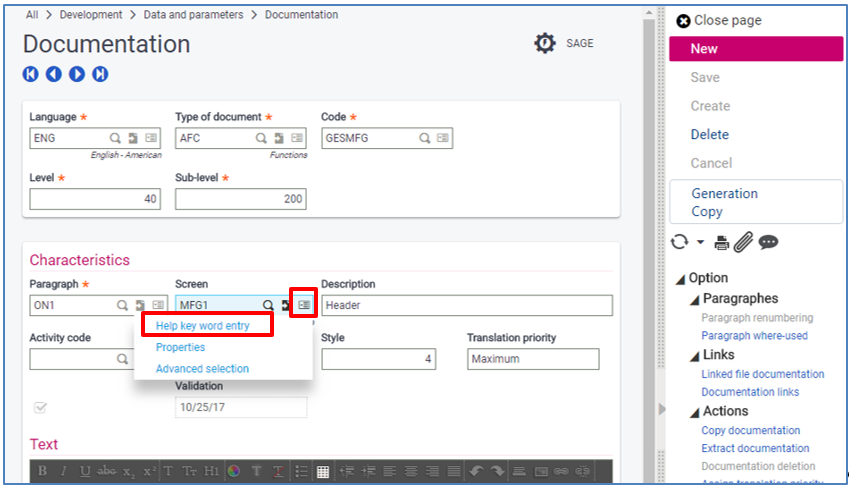
Go to Development > Data and parameters > Documentation > Documentation.
-
In the Screen field, click the Actions icon then click Help key-word entry.
-
In the Help key-word field of one key-word (field), click the Actions icon then click Jump to. You are redirected to the Field documentation function (GESADZ).
-
To create new field help:
-
Enter the Language, the Key word, and the Module.
-
Tabulate, enter your text in the Help text block then click Create.
To modify existing field help, modify the content then click Save.
General field help and linked field help
General field help
General field help is field help that can be reused with other field help. It can be linked to other field help. Advantages are cost savings for translation as the same content does not have to be rewritten multiple times.
You can define a field help as general (field) help, as follows:
-
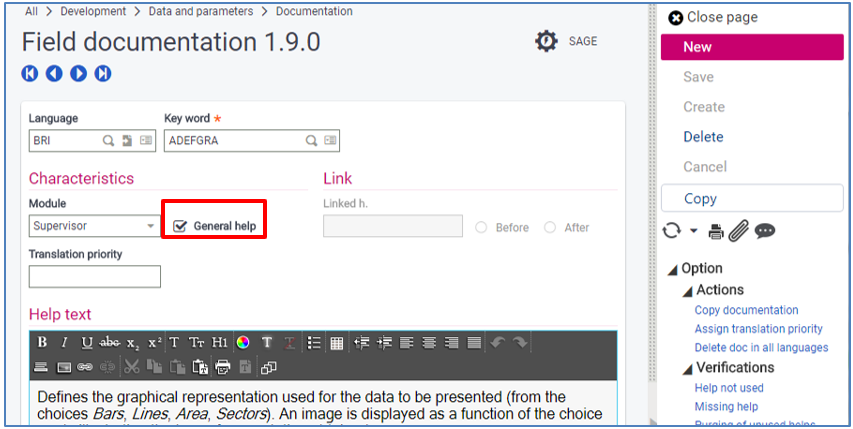
Select the General help check box in the Field documentation function (GESADZ).
-
Click Save.
To change a general field help to standard field help, clear the General help check box then click Save.
- Use the GENECRAN query.
- Use the Where-used action directly from the field documentation function.
Linked field help
Linked field help can be linked to a standard field help.
Select the General help check box. The help becomes a linked help.
How to link a general help to a standard help
-
Open the standard field help to be linked with a general help.
-
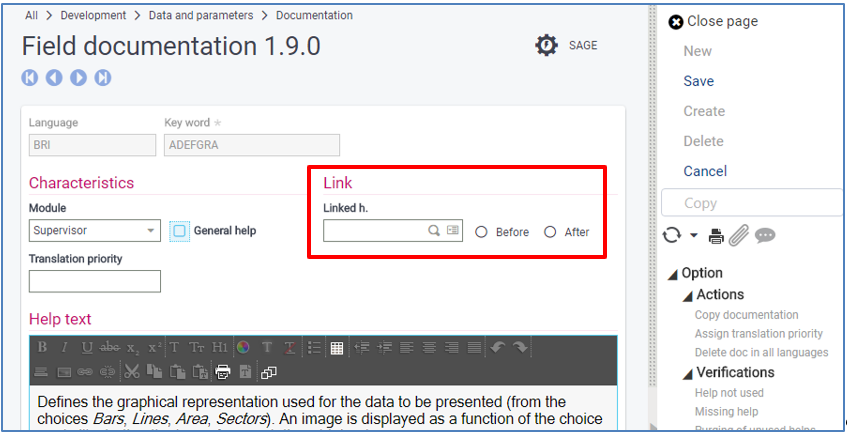
In the Linked help field, enter the general help keyword to link.
-
Select the Before radio button or the After radio button to specify if the general help text must be displayed before or after the standard field help text.
-
Tabulate then click Save.