
Extracting the list
Open: Declarations > Tax management > Others > Processes
Use the EC Sales List function (CONSESL) to:
-
Extract the EC sales list.
-
Print the extraction results in a report.
-
Export the results in a file.
When you extract the EC sales list, you can search for and identify potential errors and inconsistencies before printing or exporting the results.
Selecting criteria
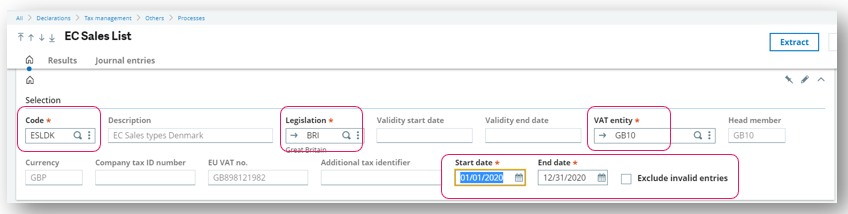
Enter the criteria to filter the journal entries such as:
-
The ESL code as defined in EC sales types (GESESLTYP)
-
The legislation that matches the ESL code assignment from Assignment by EC sales types (GESESLASS)
-
The VAT entity as defined in VAT entity groups (GESVATGRP)
-
A start and end date for the period to process
-
The option to exclude invalid entries
Extracting
After selecting your criteria, click Extract.
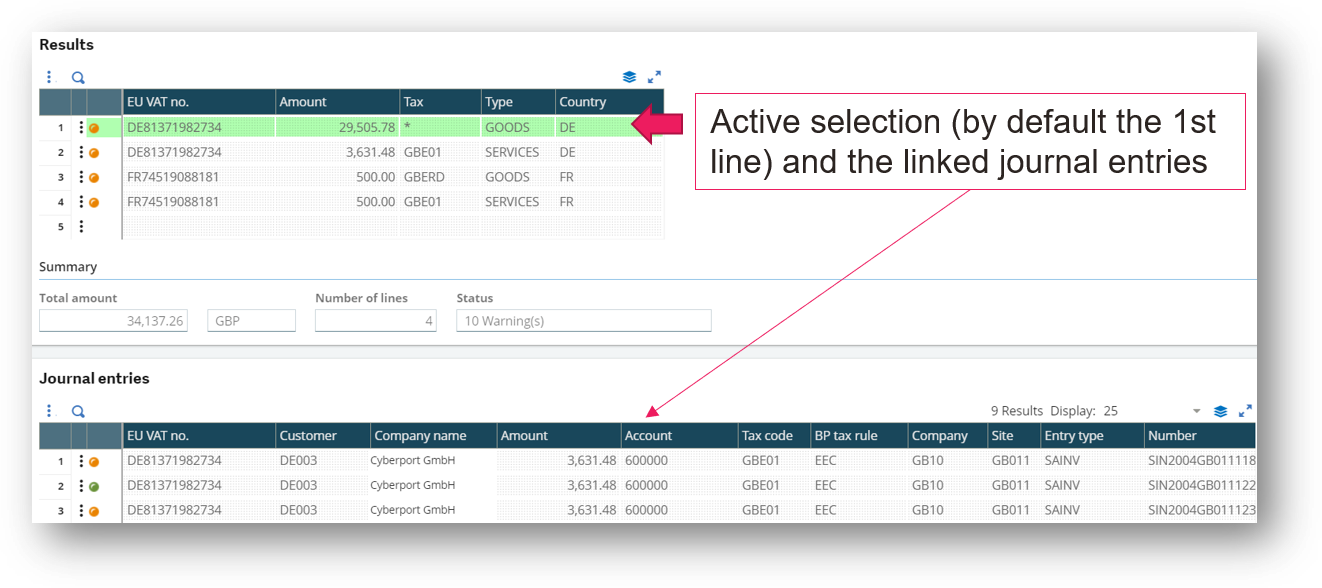
The Results and Journal entries sections display the extraction results according to your criteria. The data in the grids is display-only and cannot be modified.
-
The results are stored in temporary tables.
-
The Journal entries grid displays entries that correspond to the selected line in the Results grid. By default, the first line in the Results grid and its related entries display.
-
Journal entry lines are grouped by EU VAT number and EC sales type.
-
The lines are extracted when the tax, type, account and its attributes are consistent with a line defined in the assignment rules linked to the EC sales type code.
-
All actual journal entries are considered and are processed according to their origin, e.g., customer invoices, sales invoices, payments with discount or manually entered journals, etc.
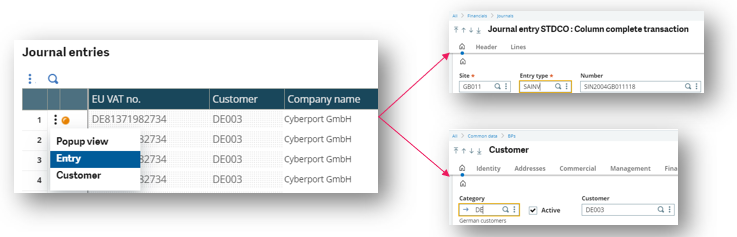
From each line in the Journal entries grid, you can access the entry or the customer.
Results are also highlighted according one of three statuses indicated by an icon at the beginning of each line.
Green icon: There are no errors or warnings. The comment section is empty.
Orange icon: There is at least one journal entry line with a warning detailed in the Comment field.
-
The extracted journal entry line has a document type where VAT on debit is not selected.
-
The extracted journal entry line has a document with a temporary status.
-
The extracted journal entry line is linked to an evaluated country that is not a European country.
Red icon: There is at least one journal entry line with a blocking error, and it is noted in the Comment field. An error could be no EU VAT number or an invalid country code.
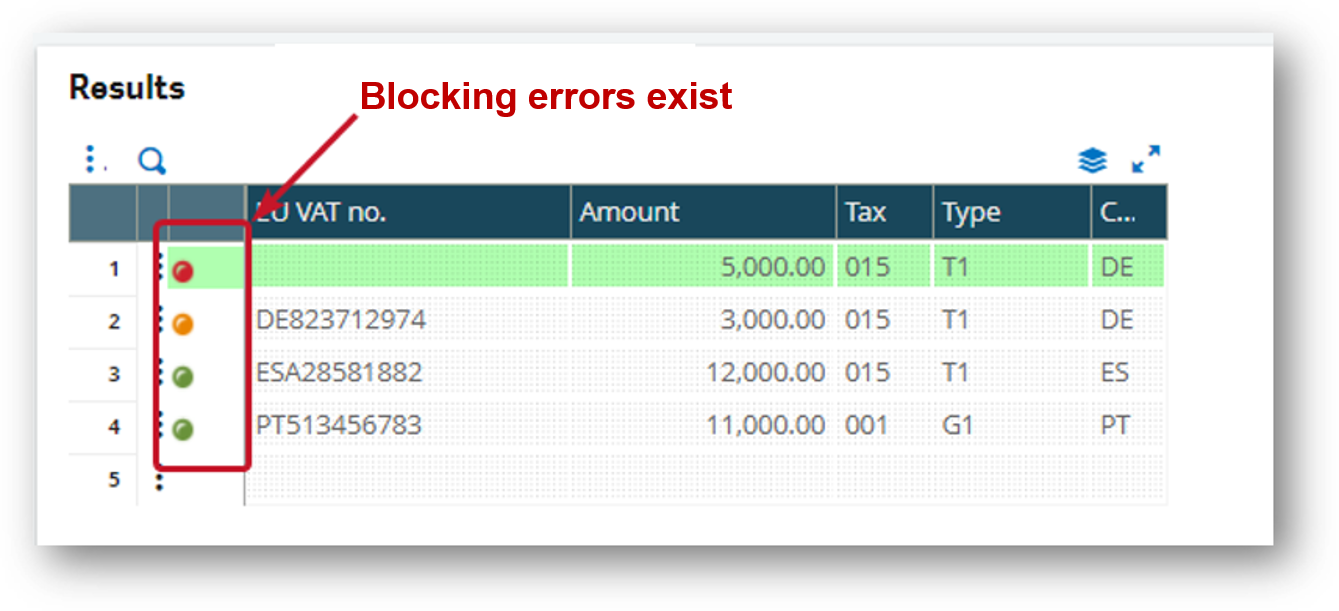
You can exclude journal entries with an error by selecting the Exclude invalid entries check box.
See Appendix II: Technical specifications for more details on the extraction.
Generating the report
After extracting, you can click Report to print the ESLLIST - EC sales list control report. This action is not available if you have not yet extracted a list.
Set these report parameters to Yes or No to select which entries are printed:
-
Journal entries with error
-
Journal entries with warning
-
Valid journal
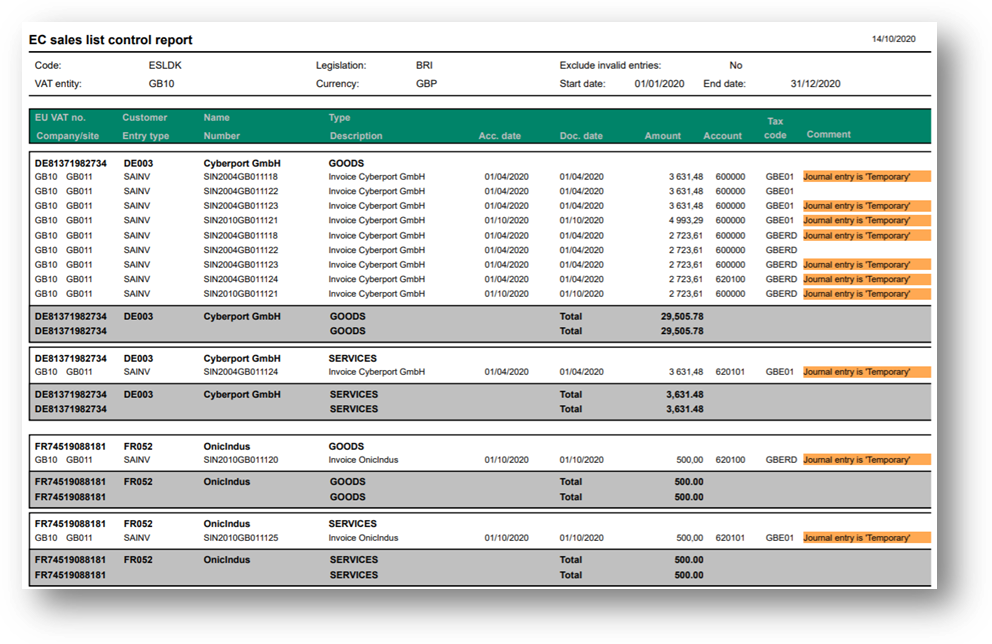
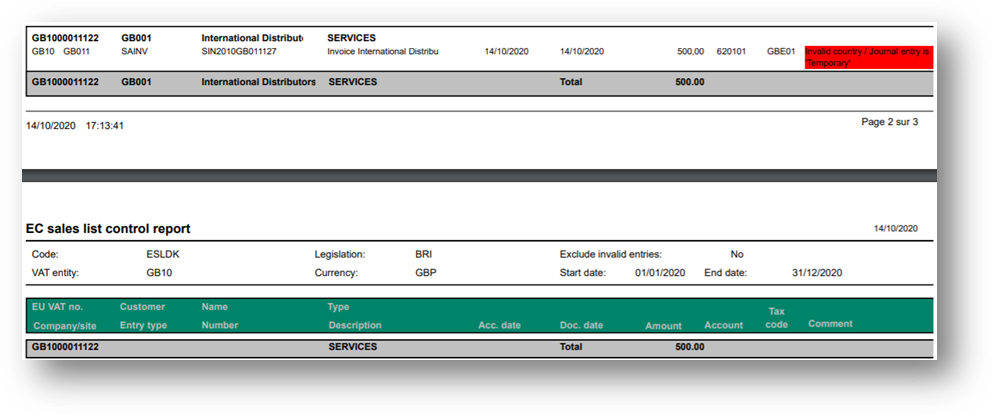
In the report shown below, you can see that results are sorted as in the Journal entries grid by EU VAT no., Customer, and ESL Type.
Entry lines are sorted in ascending order by Company, Site, Tax code, Entry type, document Number and Account.
There is a subtotal for EU VAT no. + Customer + Type and for EU VAT no. + Type. In some cases, several customers can have the same EU VAT number.
Exporting
After extracting and the Results grid has been populated, you can click Export to generate an export file to be submitted manually for local tax authorities.
The export script associated with the EC Sales type code defined in EC sales types generates the file.
When you export, a comma delimited CSV file is generated that includes the following four columns:
-
First column: intra-EU VAT number
-
Second column: value: rounded to nearest euro
-
Third column: blank for Goods or T for Triangular trading
-
Fourth column: S for Services
The list is aggregated at the customer VAT ID level separating sales by type: goods, services, and triangular intra-community operations for the delivery of goods.
Sage X3 supports lists that are between 30 and 6000 lines. You need to submit this file to the ROS Offline Application. When saving the file from ROS offline, it converts it to the VIE extension so that it can be uploaded to ROS.
See Appendix II: Technical specifications for more details on the extraction.